
Explanations
In cases where an explanation is required for a security violation, security personnel can request an explanation from the anomalous actor. By generating an explanation based on a ticket or by directly drafting the explanation content, the anomalous actor will receive an explanation request email at the email address registered in the Employees menu. By clicking the link in the explanation request email to draft the explanation, the reviewer will assess whether the explanation content is valid or constitutes a security violation. The process can be illustrated as follows:
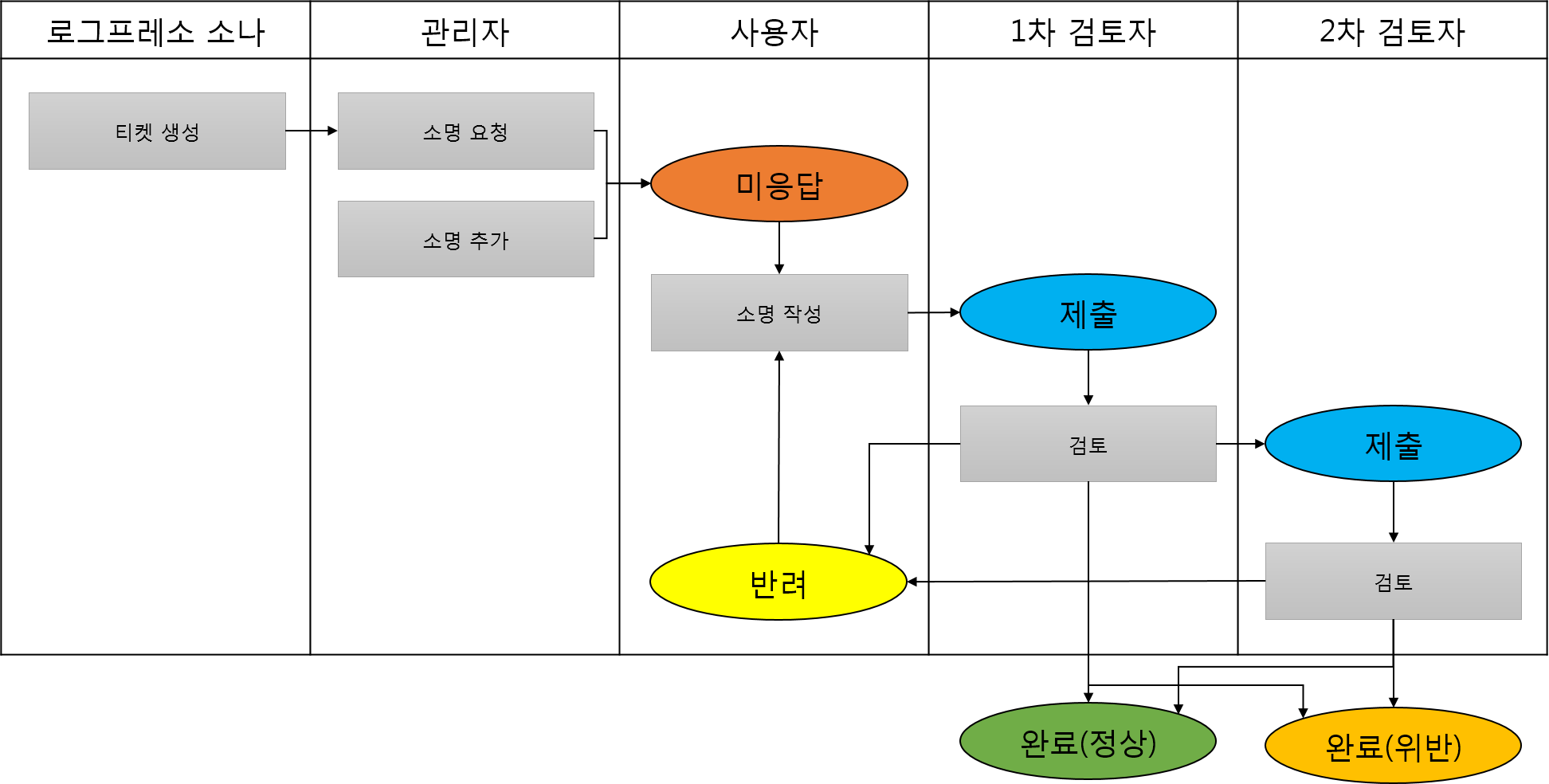
For the explanation process to function smoothly, employee information must be registered in the Employees menu, and an explanation template must be configured.