Logger models
Overview
A logger model serves as a roadmap that defines the entire data processing pipeline—from data collection to normalization. It specifies how the raw data should be collected by the logger, how the collected data should be parsed, and how the parsed data should be normalized.
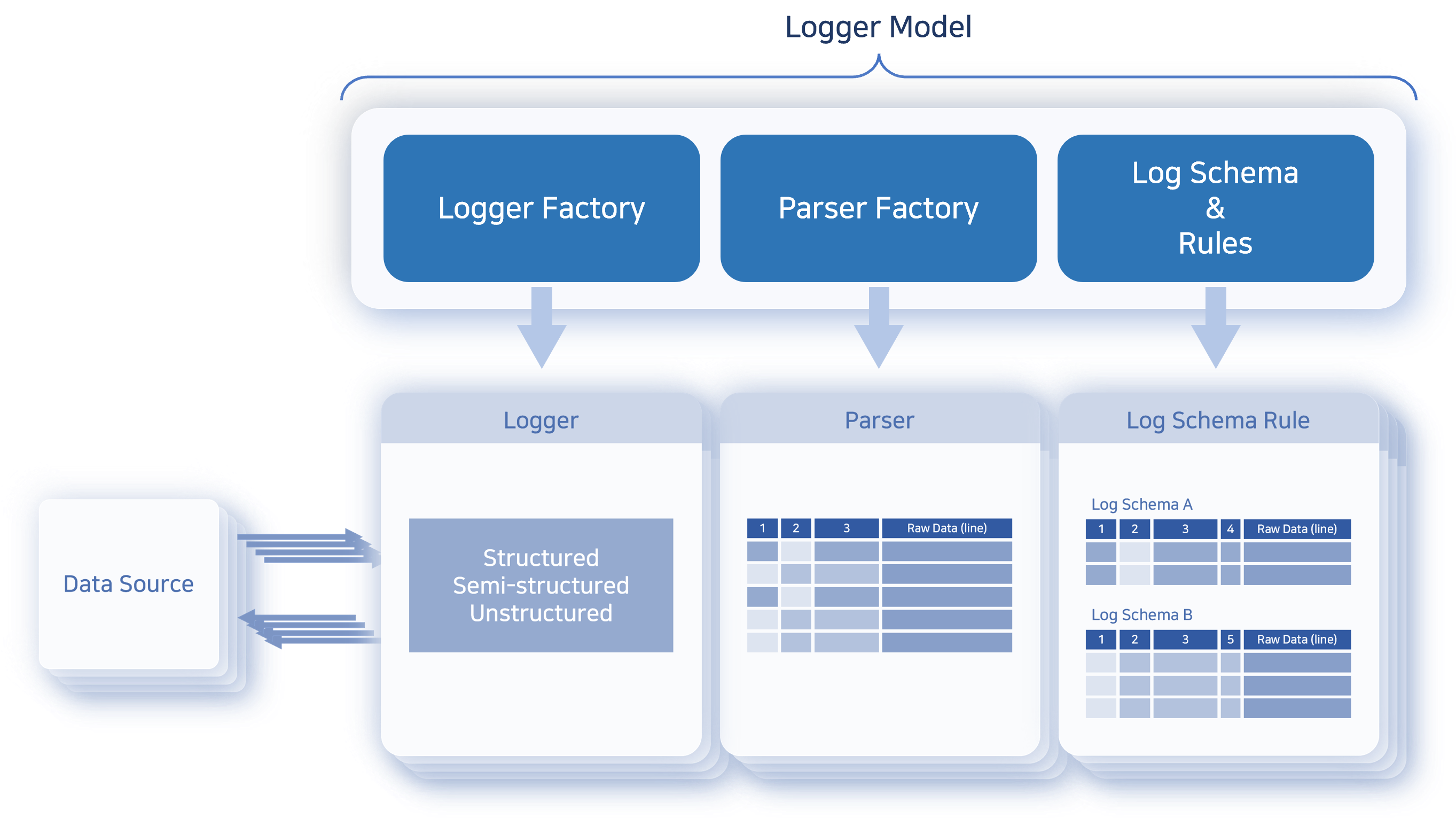
In some logger models, a parser may not be necessary; This is typically the case when the log data is already in a structured format and does not require additional parsing. For example, data stored in a database is already separated by fields, so no separate parsing step is needed.
Logger Models: Base vs App
Logger models can be categorized as either base or app logger models. Similar to parsers, administrators rarely need to manually configure logger models themselves.
- Base Logger Model
- Base logger models are available in Logpresso Sonar even without installing any apps. Initially, the platform provides the following two base logger models. The product installs them in Korean regardless of the language chosen at installation or the console language, so the English console shows the model name in Korean as well; the English in parentheses is an explanation added by this document.
Name Description WTMP Defines how wtmp log files are collected and normalized. 윈도우 XML 이벤트 로그 (Windows XML Event Log) Defines how to collect and normalize event logs from Windows. NoteThe Windows XML event log collection model is only compatible with environments using Windows Sentry.
Below is a list of base logger model types available in Logpresso Sonar. The Logger-specific Settings differ depending on the logger type.
| Type | Description |
|---|---|
| CEP Event | Collect Complex Event Processing (CEP) event data. |
| Config File Watcher | Collect changes in files that match a specific pattern and name on the local host. |
| DNS Sniffer | Captures DNS communication packets mirrored through a PCAP device |
| Daily Rolling Directory Watcher | Collect matching text log files from directories created daily on the local host. |
| Directory Watcher | Collect text log files at regular intervals from a specific directory on the local host. |
| Disk Usage Logger | Periodically monitor and collect disk usage of Logpresso Sonar nodes or Sentry. |
| External Program | Collect the standard output of commands or scripts executed on the local host. |
| FTP Daily Directory Watcher | Collect matching text log files from directories created daily on a remote host via FTP. |
| FTP Directory Watcher | Collect text log files from a specific directory on a remote host via FTP. |
| FTP Rotation Log File | Collect a single rotating text log file from a remote host via FTP. |
| Forwarder Performance | Collect performance logs of forwarder nodes in the Logpresso Sonar cluster. |
| GZIP Directory Watcher | Collect text log files compressed in GZIP format on the local host. |
| GZIP Recursive Directory Watcher | Collect GZIP log files that match a specific pattern and name from a specific directory on the local host. |
| HTTP Monitor | Collect web service response codes and statistics from a remote host. |
| HTTP POST | Collect data transmitted via HTTP POST method from a remote host. |
| HTTP Sniffer | Collect HTTP packets using a PCAP device. |
| JDBC Logger | Collect data from a database using JDBC. |
| Lunux Account Watcher | Collect changes in the account list file passwd on the local host. |
| Multi Rotation Log File | Collect log files that are backed up to different paths, deleted, and rewritten periodically. |
| NetFlow | Collect NetFlow v5/v9 packets. |
| PCAP Directory Watcher | Collect PCAP files from a local directory. |
| PCAP Packet | Collect all packets using a PCAP device. |
| RSS | Collect data from an RSS feed specified by a URL. |
| Recursive Directory Watcher | Collect text log files that match a specific pattern and name from a designated directory on the local host. |
| Rotation Log File | Collect a single rotating text log file on the local host. |
| SFTP Daily Rolling Directory Watcher | Collect text log files that match a specific pattern and name while traversing directories generated daily via SFTP. |
| SFTP Directory Watcher | Collect text log files from a specific directory on a remote host via SFTP. |
| SFTP Rotation Log File | Collect a single rotating text log file from a remote host via SFTP. |
| SFTP WTMP File | Collect WTMP logs from a remote host via SFTP. |
| SNMP GET | Collect data from an SNMP agent. |
| SNMP Trap | Collect SNMP messages received via SNMP trap. |
| SNMPv3 GET | Collect data from an SNMPv3 agent. |
| SNMPv3 Network Usage Logger | Collect network interface traffic statistics from an SNMPv3 agent. |
| SSH Execute | Collect the standard output of commands executed in an SSH session. |
| Sentry Performance | Batch collect Sentry performance logs from Logpresso Sonar. |
| Stream Query Output | Collect output data from a stream query in Logpresso Sonar. |
| Syslog | Collect Syslog messages transmitted from a remote host. |
| sFlow | Collect sFlow v5 packets. |
| TCP Port Checker | Check the TCP port availability on local/remote hosts and collect results. |
| WTMP | Collect WTMP logs from the local host. |
| WebKeeper (Legacy Version) | Collect data from an old version of WebKeeper using MSSQL. |
The following types are Sentry-only logger types. They appear in the Type list only while a Sentry running that operating system is connected.
| Type | Sentry | Description |
|---|---|---|
| Windows XML Event Log | Windows | Collect event logs in XML format from the specified Windows event channel. |
| Windows EventLog | Windows | Collect event logs from the specified Windows event source. |
| Windows Performance Counter Logger | Windows | Periodically collect Windows performance counter values. |
| Listen Port Logger | Windows | Periodically check whether TCP/UDP ports are open and collect the results. |
| Process Check | Windows, Linux | Periodically check whether processes are running and collect the results. |
| Windows CPU Usage | Windows | Periodically collect CPU usage. |
| Windows Memory Usage | Windows | Periodically collect memory usage. |
| Windows Network Usage | Windows | Periodically collect bandwidth usage per network interface. |
| Windows Disk Usage | Windows | Periodically collect disk usage plus additional information provided by Windows. |
| Linux CPU Usage Logger | Linux | Periodically collect CPU usage. |
| Linux Memory Usage Logger | Linux | Periodically collect memory usage. |
| Linux Network Usage Logger | Linux | Periodically collect bandwidth usage per network interface. |
| AIX CPU Usage | AIX | Periodically collect CPU usage. |
| AIX Memory Usage | AIX | Periodically collect memory usage. |
| AIX Network Usage | AIX | Periodically collect bandwidth usage per network interface. |
| HP-UX CPU Usage | HP-UX | Periodically collect CPU usage. |
| HP-UX Memory Usage | HP-UX | Periodically collect memory usage. |
| HP-UX Network Usage | HP-UX | Periodically collect bandwidth usage per network interface. |
| Solaris CPU Usage | Solaris | Periodically collect CPU usage. |
| Solaris Memory Usage | Solaris | Periodically collect memory usage. |
| Solaris Network Usage | Solaris | Periodically collect bandwidth usage per network interface. |
- App Logger Model
- Most logger models are provided along with app installations. App logger models come preconfigured with all the settings required to extract fields from data collected from target systems.CautionDo not modify or delete app logger models, as this may disrupt the functionality of the associated app.
Log Schema Rules (Normalization Rules)
The logger model provides normalization rules to normalize logs based on the log schema. A normalization rule consists of a log schema, a query used to transform the input log data, and a refresh interval.
Since a single stream of log data may contain multiple types of log records, normalization rules should be designed to be mutually exclusive and collectively exhaustive, in line with the MECE (Mutually Exclusive, Collectively Exhaustive) principle. For example, if a log source contains three types of records—A, B, and C—the logger model must include three normalization rules, each corresponding to one of the record types. Logs from Palo Alto Networks firewalls, for instance, contain both session logs and intrusion detection logs. Each type must be normalized using a schema appropriate for its structure.
To accommodate variations in log formats and potential parsing errors, it is also important to include a normalization rule that captures records which do not match any other rule or cannot be normalized.
Search Logger Model
You can view the list of logger models in Loggers > Logger Models.
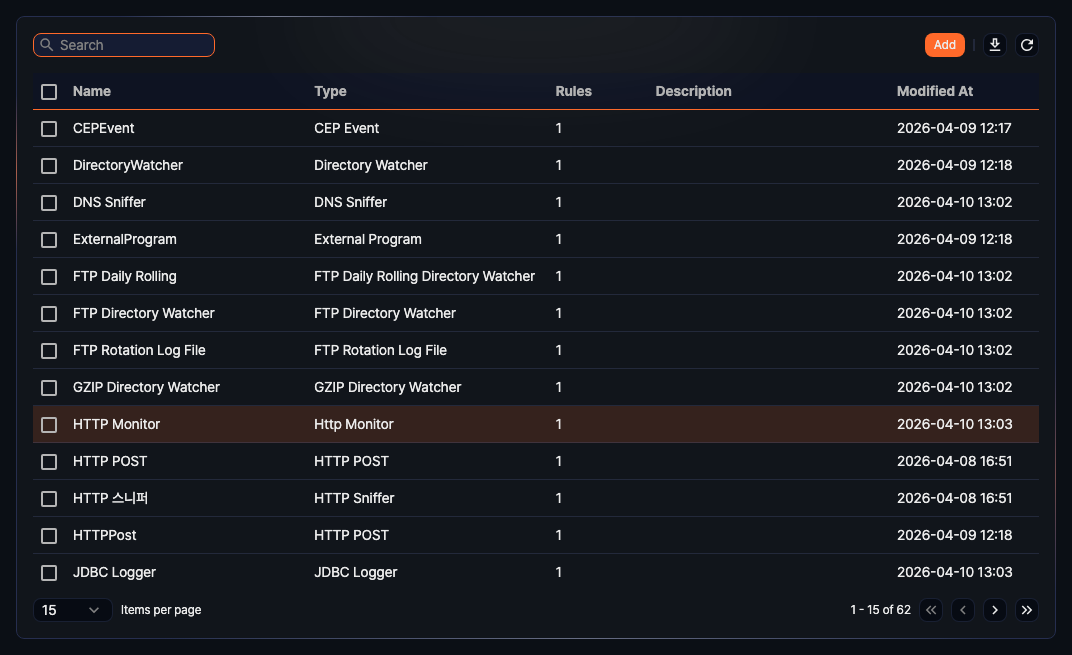
- App: Icon of the app that provides the logger model. Logger models added by an administrator show the default icon.
- Name: Name used to identify the logger model
- Type: Type of logger to run
- Rules: Number of log schema rules defined for the logger model
- Description: Additional information about the logger model
- Modified At: Date the logger model was created or last modified
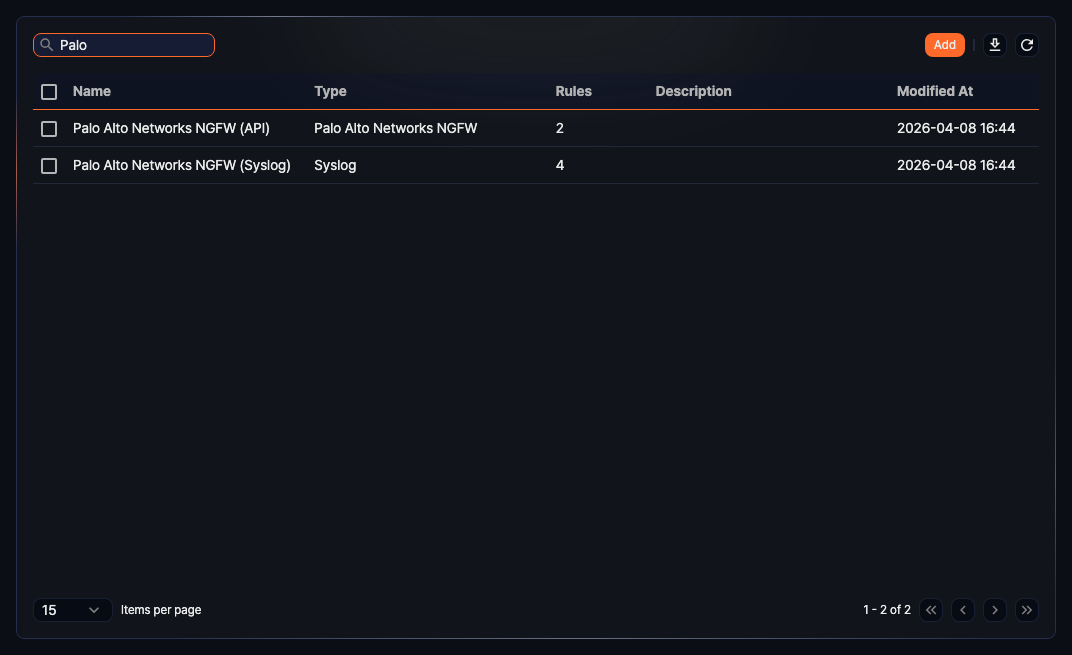
To find a specific logger model in the list, use the search tool in the toolbar. The search tool finds logger models containing the keywords you entered in Name. The search is not case-sensitive.
Add Logger Model
While app logger model suffice for most environments, there are cases where you may need to create a custom one. If a new logger model is needed, you can create and use a custom one.
To add a logger model:
-
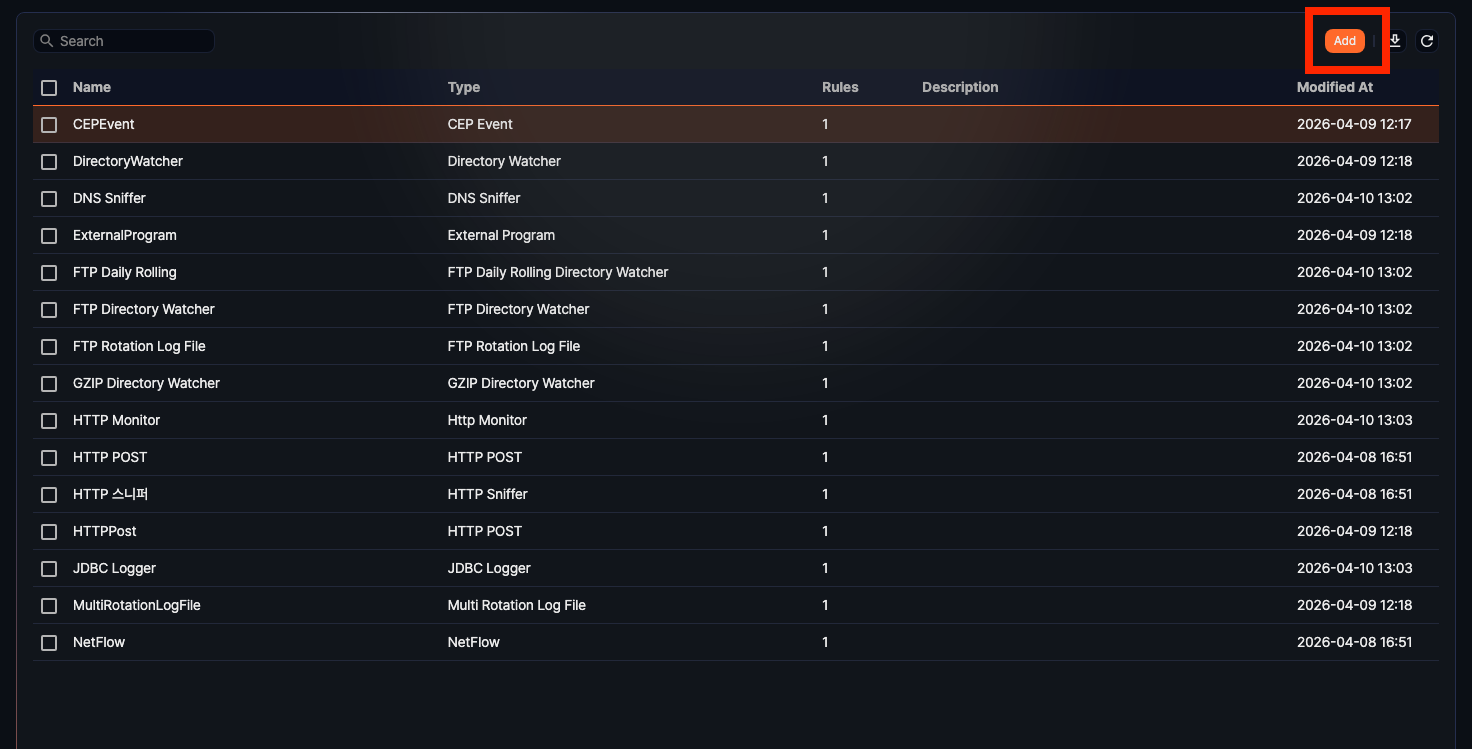
Go to Logger > Logger Models, and click Add in the toolbar.
-
Enter or select the required values for Config. and Log Schema Rules, then click OK in the upper-right corner.
Config.
Enter or select a Name, Description, Type, and Parser for the logger model.
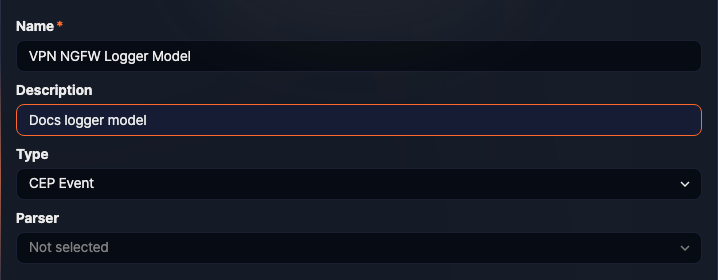
- Name: Name to identify the logger model in the web console
- Description: Description of the logger model. Use this field to provide additional details.
- Type: Type of logger to run (default: the first item in the type list).
- Parser: Name of the parser to process data from the logger (default: none). If the input data is already structured (e.g., when the type is JDBC logger), you may not need to select a parser.
Log Schema Rules (Normalization Rules)
You can configure one or more normalization rules. Each normalization rule must classify input records without overlap and ensure no records are missed, adhering to the principles of being mutually exclusive and collectively exhaustive.
- To add a log schema rule, click the + tab.
- To delete a log schema rule, click the X in the tab.
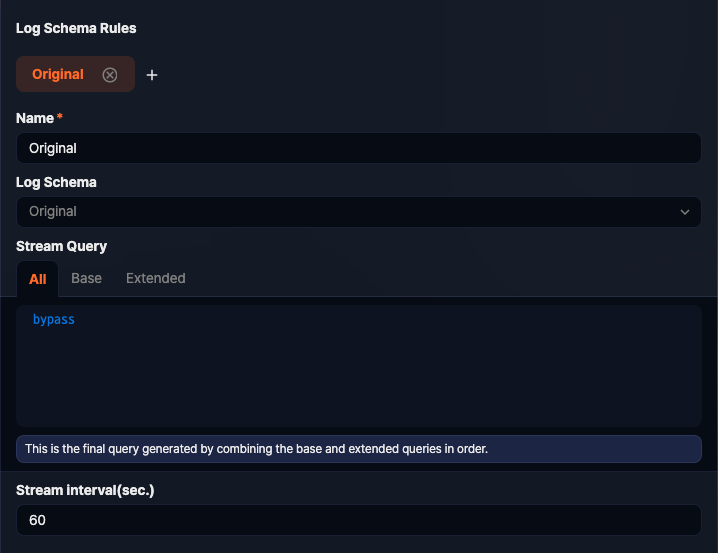
- Name: Name to identify the log schema rule
- Log Schema: log schema to apply
- Stream Query: A preprocessing query used to map part or all of the parsed data to the log schema. It is divided into the following tabs.
- Base: The base query that maps parser-applied data to the log schema. The base query of a saved rule is locked because an app update may overwrite it. Click the padlock icon to edit it.
- Extended: An extended query appended after the base query. Enter the processing added by an administrator here.
- Common: A common query appended after the extended query and applied to all log schema rules except the original and unknown rules. Shown only for rules with a log schema.
- All: The final query generated by combining the base, extended, and common queries in order (read-only). This tab is shown first when you open a rule.
- Query statements typically filter input data based on specific field values using the search command.
- You may also write a query that renames input fields to match the log schema or assigns values to empty fields.
- Stream Interval: The interval at which the stream query is reset (default: 60 seconds; set to 0 for real-time reset).
Edit Logger Model
To edit a logger model:
-
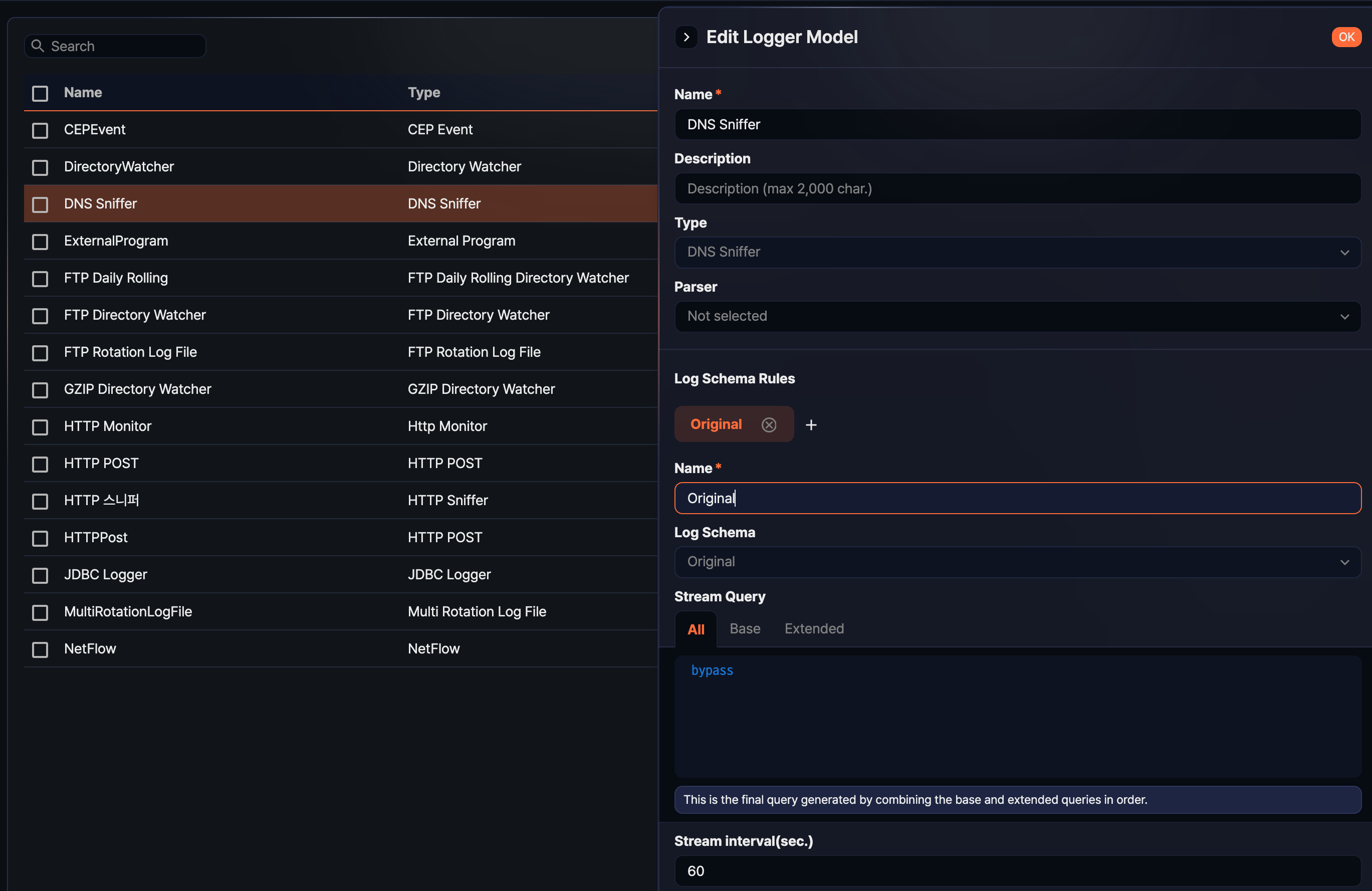
Click the Name of the logger model you want to modify.
-
In the Edit Logger Model page, update the necessary information and click OK.
- For editable properties, refer to Add Logger Model.
- The Type cannot be modified. To change the it, delete the existing model and create a new one.
Delete Logger Model
To delete a logger model:
-
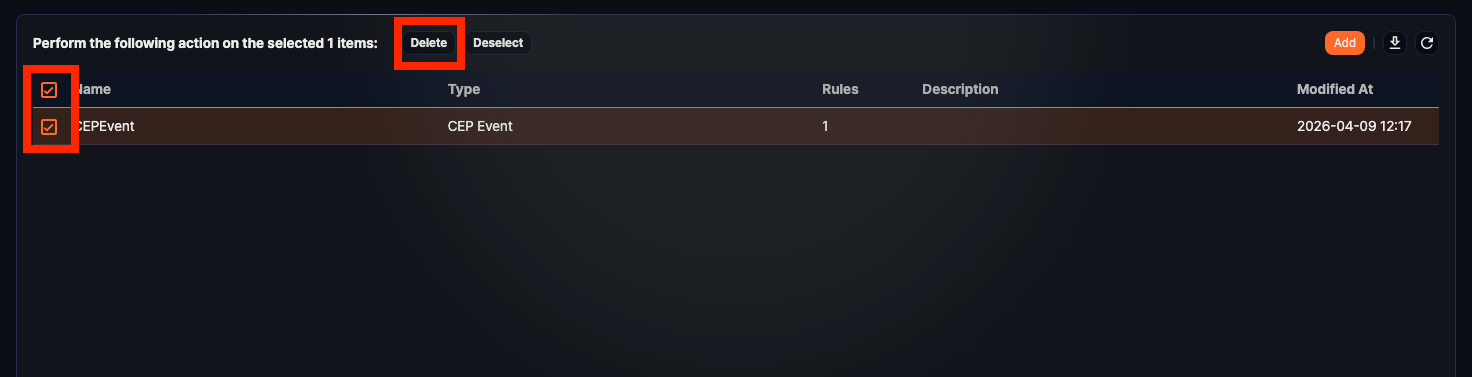
Select the checkbox next to the logger model you want to delete.
-
In the toolbar, click Delete.
-
In the Delete Logger Model dialog box, review the list of models to be deleted, then click Delete. Click Cancel to cancel the operation.
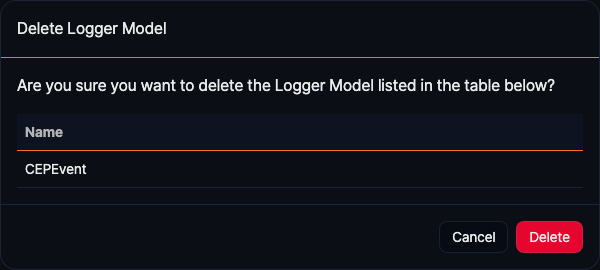
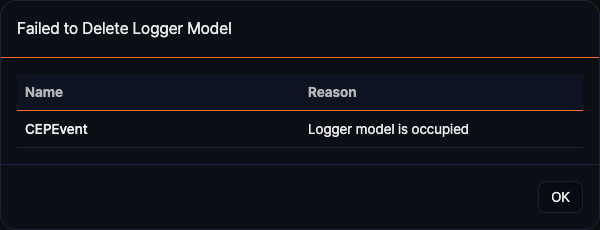
If the deletion fails, the Failed to Delete Logger Model dialog will show the reason for the failure.