
World map (marker)
Overview
The world map (marker) widget places markers on a world map based on the latitude and longitude fields in the query results. Use it to intuitively visualize geographic data such as attack origins, access locations, and network device positions. When the legend is enabled, markers can be distinguished by series with different colors.
Only accounts with the dashboard management or widget editing permission can add or modify world map (marker) widgets. An account with only the widget viewing permission can view settings but cannot make changes.
For general information about query widgets, see Query widget.
Chart settings
Select World map (Marker) as the chart type in the pivot table editor and click the chart settings button.
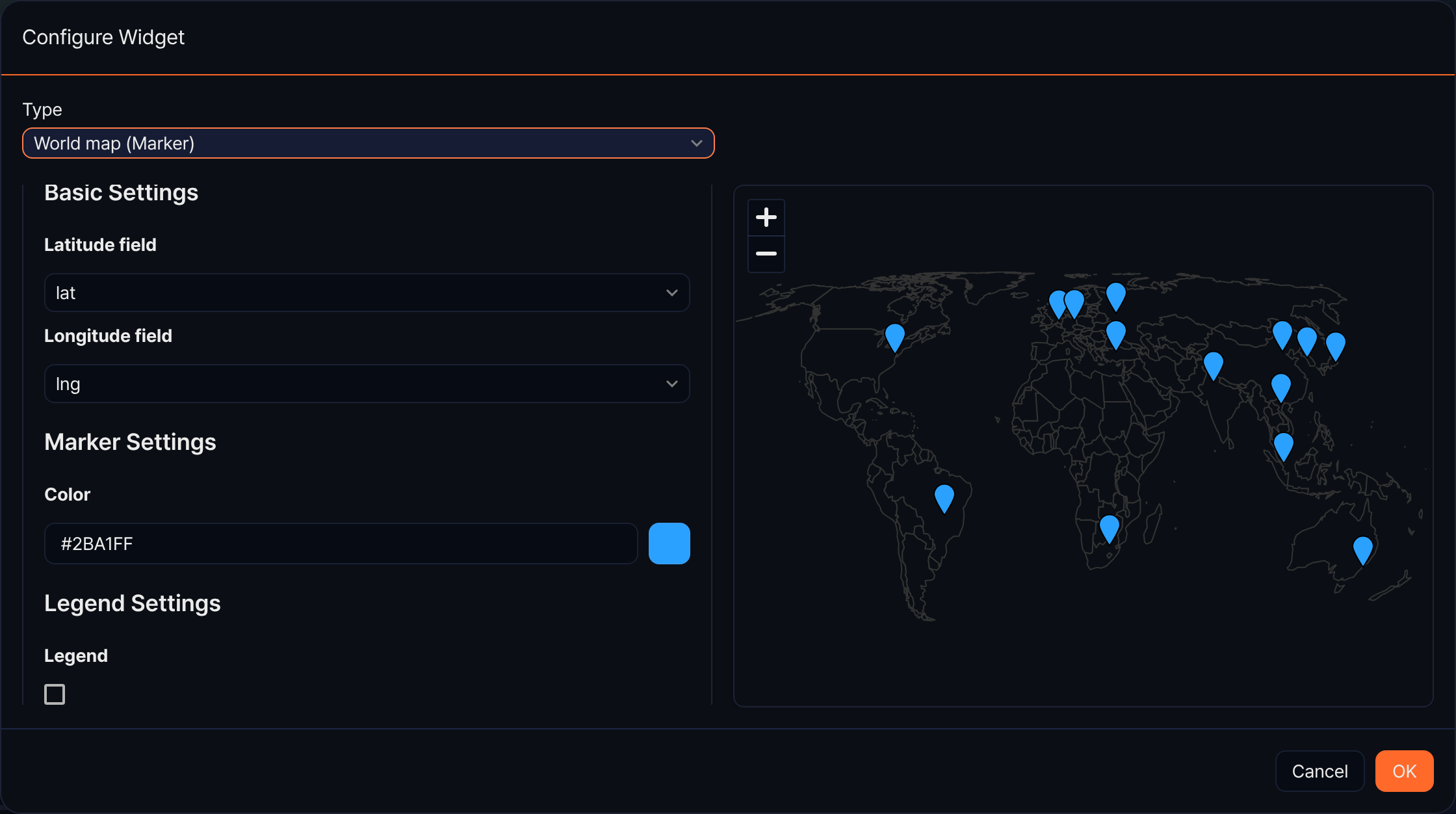
Basic properties
- Latitude field: Select the numeric field corresponding to the latitude coordinate of the marker (required).
- Longitude field: Select the numeric field corresponding to the longitude coordinate of the marker (required).
Marker properties
Displayed when the legend is not used.
- Color: Set the color applied to all markers.
Legend properties
- Legend: Set whether to distinguish markers by series. When enabled, series settings are used instead of marker properties.
- Series Field: Select the category field to distinguish markers. You can specify a string or IP type field (required).
- Value Field: Select the numeric field to use for series classification (required).
Widget basic information
For basic information settings of the world map (marker) widget, see the left panel items in Query widget.