
External site widget
Overview
An external site widget displays a web page at a specified URL as an inline frame (iframe) inside a dashboard cell. Use it to integrate external monitoring tools, internal portals, or dashboard systems outside Sonar into a single Sonar dashboard view.
Only accounts with the dashboard management or widget editing permission can add or modify external site widgets. An account with only the widget viewing permission can view settings but cannot make changes.
Adding a widget
-
Navigate to
 > Widgets on the dashboard.
 -
Click the Add button and select External Site Widget.
-
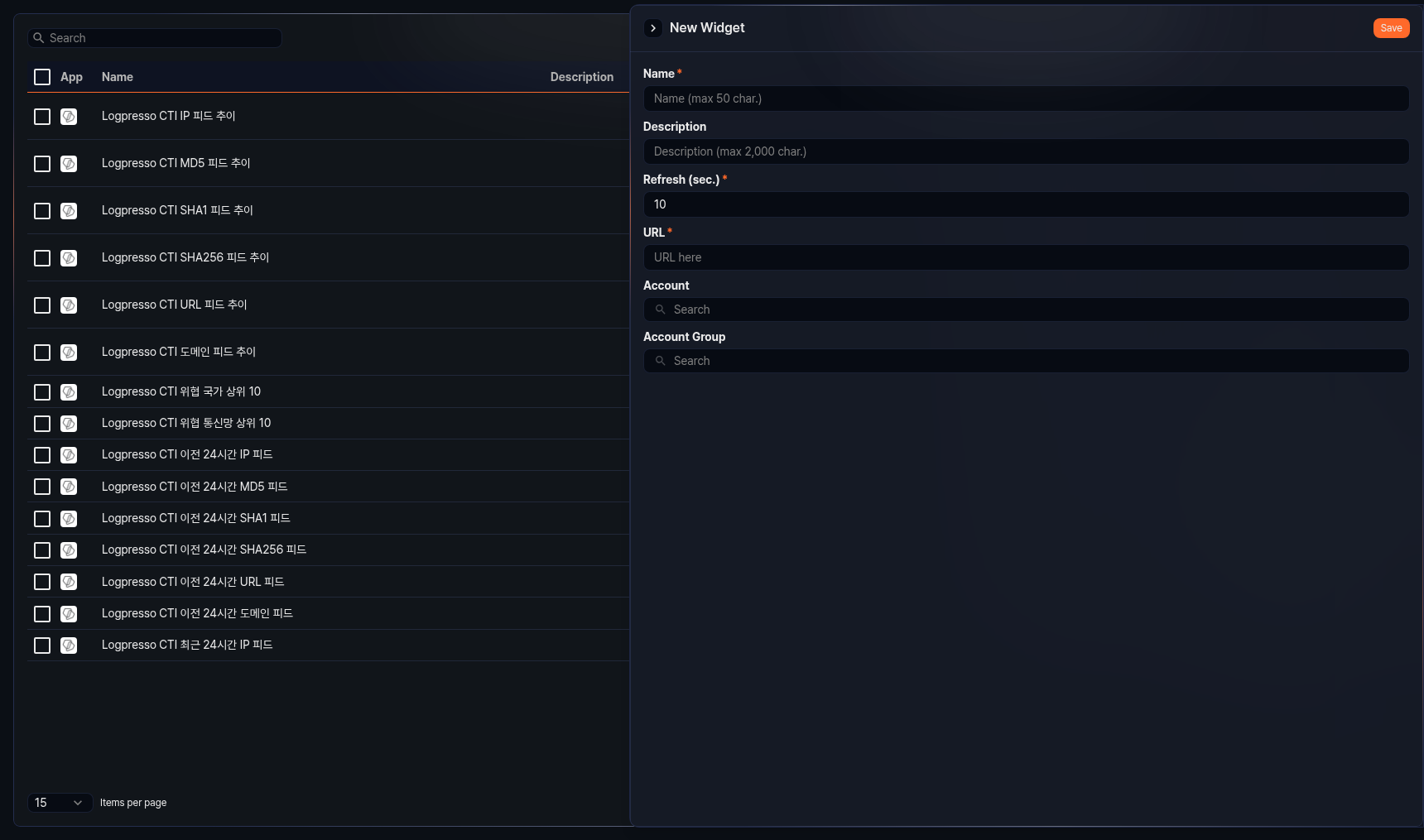
A settings panel opens on the right side of the screen.
-
Configure the following fields:
- Name: Widget name (required, up to 50 characters)
- Description: Widget description (up to 2,000 characters)
- Refresh (sec.): Interval at which the widget is automatically refreshed (in seconds, required, range: 0–2,147,483, default: 10)
- URL: Address of the external site to display (required)
- Account: Select the accounts to share this widget with.
- Account Group: Select the account groups to share this widget with.
-
Click Save to save the widget.
Editing a widget
Click an external site widget in the widget list to open a settings panel on the right side of the screen. The settings fields are the same as those described in Adding a widget.