
Send email
This task sends an email according to the specified format. This task type appears as Email in the Task Type field.
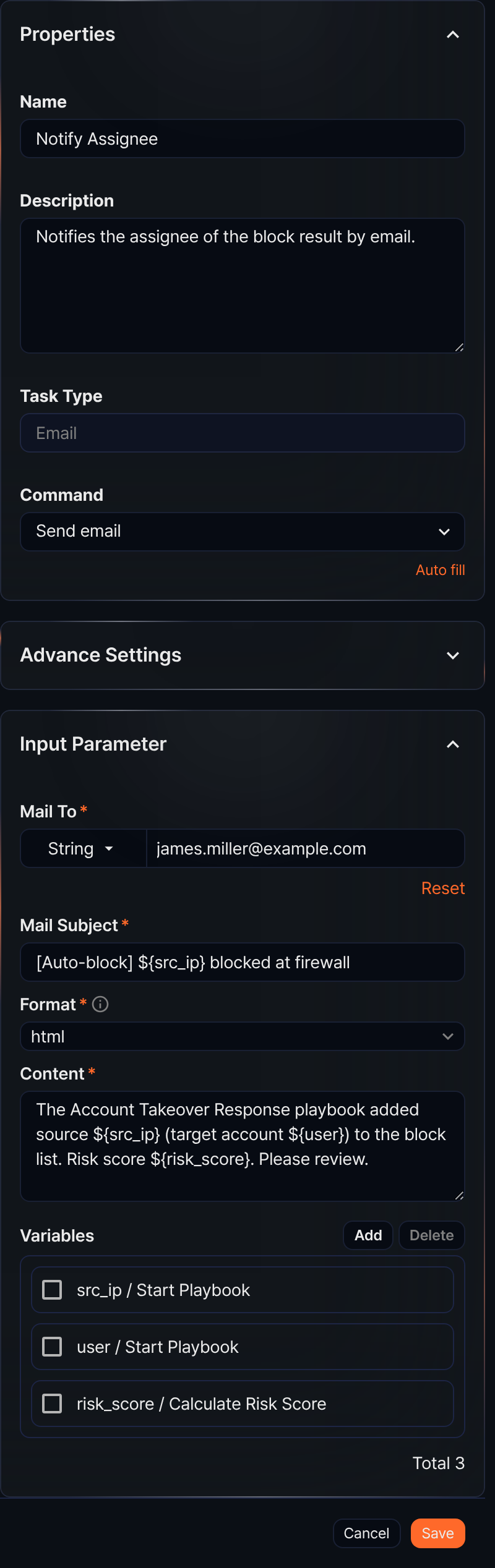
- Command
- The only Command available is Send email.
- Input parameters
- The input parameters are as follows:
- Mail To*
- The email recipient address. Select from Parameter or enter the recipient's address as a String.
- Mail Subject*
- Enter the email subject.
- Format*
- Select the format for the body (options: plain, markdown, html).
- Content*
- Enter the email body.
- Variables
- Click Add and select variables to use in the Mail Subject or Content. Both Mail Subject and Content are strings. To substitute a variable value into the string, use the
${variable}format.
Note$("variable") is a function used to reference variable values in Logpresso queries and cannot be used inside strings.
NoteTo use the Send email task, configure the mail server information first under Settings > Mail Server.