Expression
This task assigns the result of an expression to an output parameter specified by the user. This task type appears as Evaluate in the Task Type field.
- Command
- The only Command available is Evaluate.
- Input parameters
- The Expression task takes the Expression and the name of the output variable to store the result as input parameters. To use a parameter inherited from a preceding task in the expression, add it to the Variables.
- Expression*
-
Enter the expression. Various query functions can be used in the expression. To use parameters from the Variables, use the $("variable") format.
- Variable Name*
-
Enter the name of the output parameter to which the expression result will be assigned.
- Variables
-
Click Add and select variables from the parameter list to use in the expression. The parameter list shows parameters passed by preceding tasks or playbook input parameters.
-
To delete a variable from the variable list, select the checkbox in the variable row and click Delete.
Expression task example
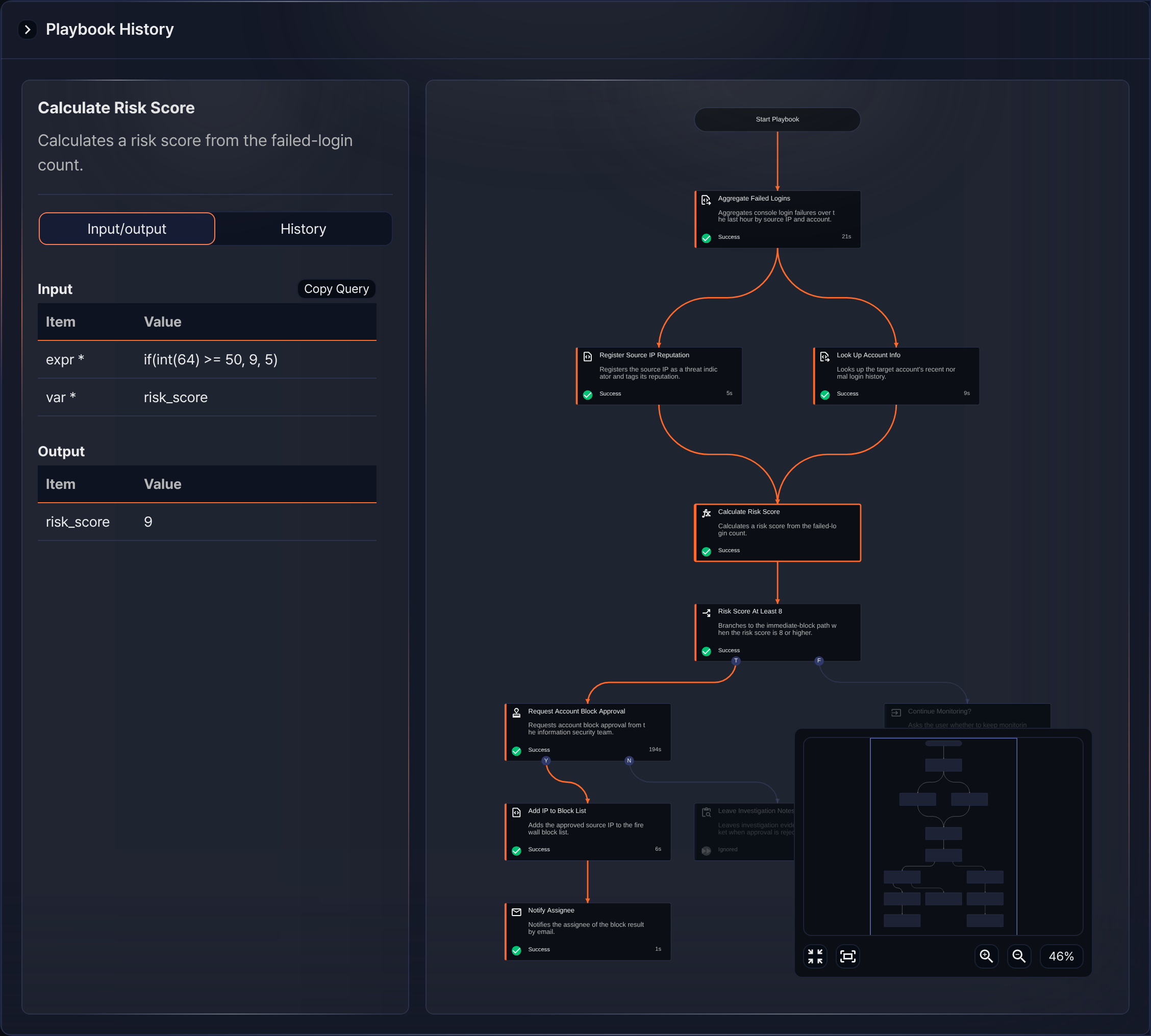
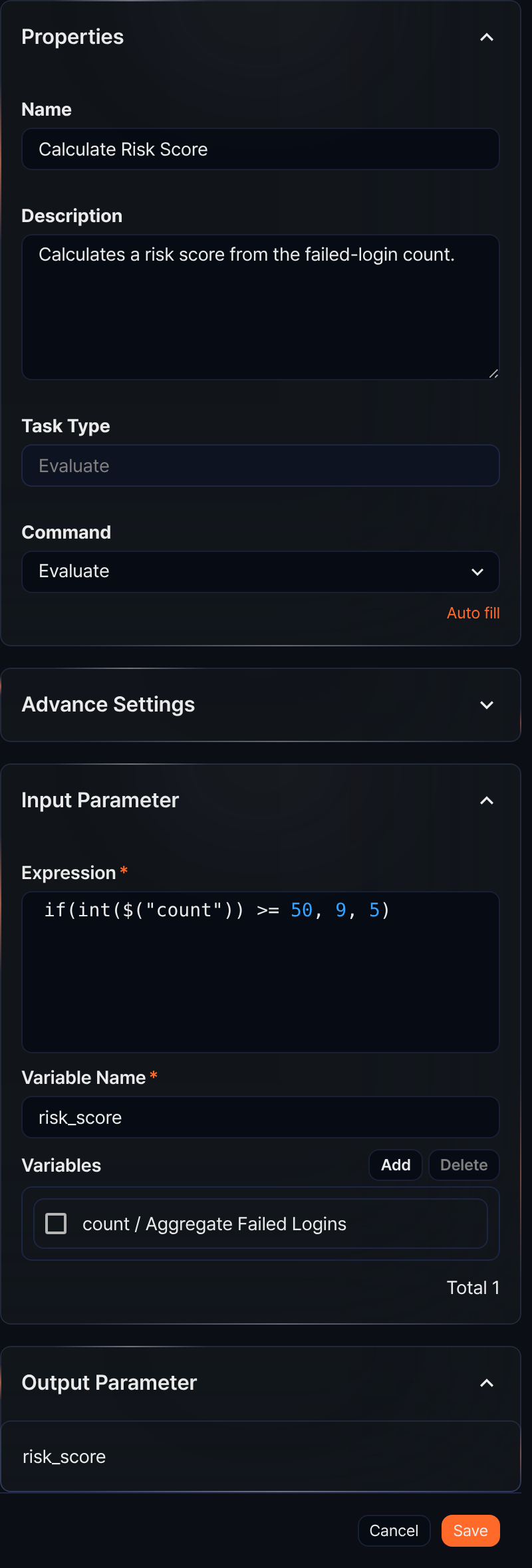
An expression task assigns the expression result to a variable, which can then be used as an input variable for the next task. For example, the Calculate Risk Score task uses the output variable count passed from the preceding task (Aggregate Failed Logins) in the expression if(int($("count")) >= 50, 9, 5). To do this, it adds count to the variable list and names the output variable that will hold the result risk_score. The settings panel looks like the figure above.
When the playbook runs and the failed-login count from Aggregate Failed Logins is 64, the expression if(int($("count")) >= 50, 9, 5) evaluates int(64) >= 50 as true, and 9 is assigned to the output variable risk_score.