
Explanation categories
Overview
An explanation category is the unit that groups the reasons for requesting an explanation, and every explanation request belongs to one. You pick a category when you request an explanation yourself, and an explanation requested automatically by a detection scenario carries the category set on that scenario. A stream or batch detection scenario with no explanation category requests no explanation at all.
You can register the category name per language. The list and the explanation request page show the name that matches the console language of the account viewing them, so register both names if your organization works in Korean and English.
When a company is created in Logpresso Sonar, four categories come with it: 악성코드감염 (malware infection), 보안정책위반 (security policy violation), 개인정보과다조회 (excessive personal data access), and 개인정보과다보유 (excessive personal data retention). The screenshots below show these categories with English names registered per language.
Accounts with the Cluster Administrator or Administrator role can view, add, edit, and delete explanation categories. An account with the User role has no permission for this page by default; grant the Explanation Category Edit permission for the list and the tools to appear. When an account without the permission opens Response > Explanation Categories, the page shows only the message "Permission required to modify configuration." instead of the list.
Viewing the explanation category list
Go to Response > Explanation Categories to view or search the explanation category list.
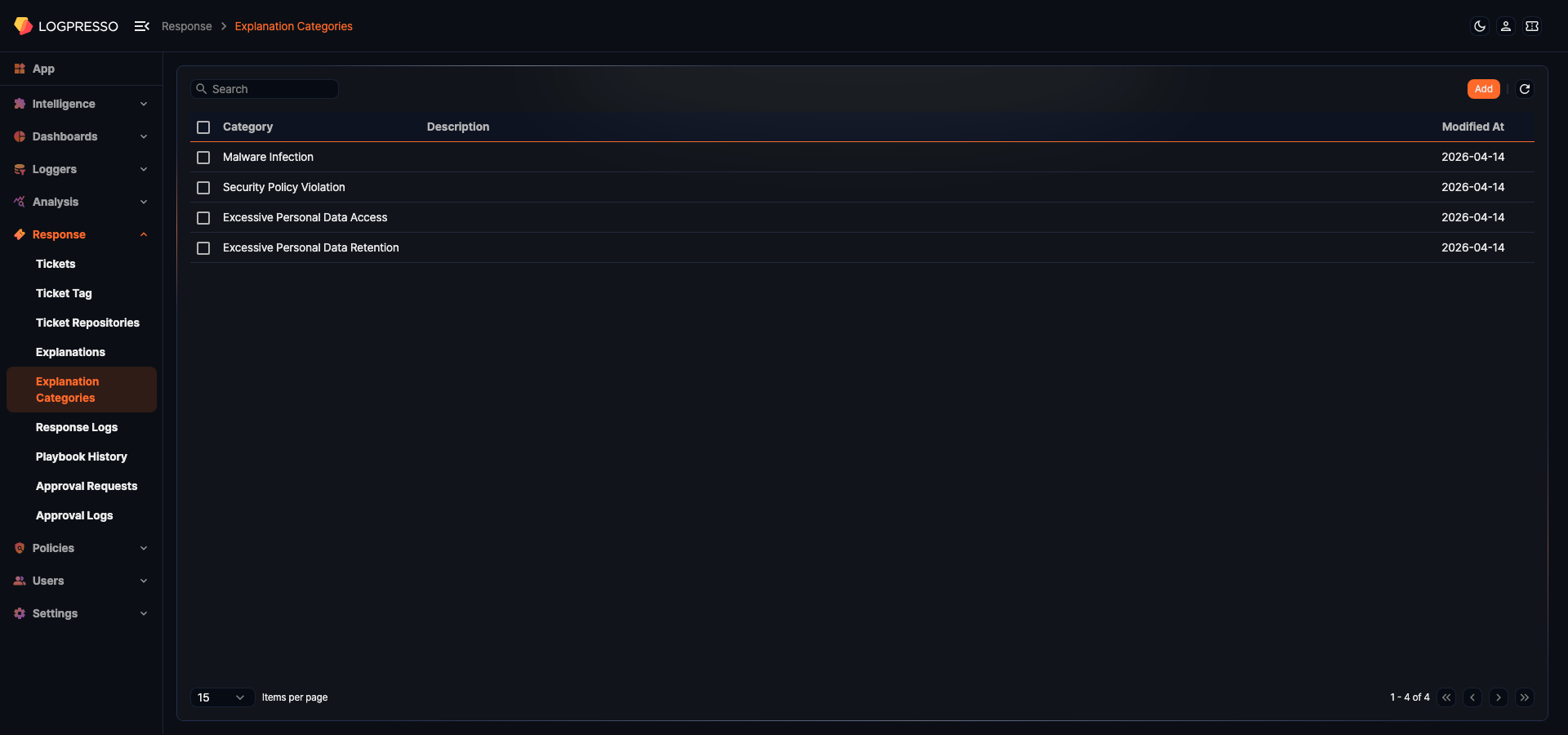
- Category: The name of the category. If a name is registered for the console language of your account, that name appears; otherwise the registered name appears.
- Description: A description of the category
- Modified At: The date the category was last modified
Each page shows 15 categories. You can change the number of items per page or move to another page at the bottom of the list.
To find a category, type a keyword in the search box in the toolbar and press Enter. The list shows the categories whose registered name or per-language name contains the keyword. Description is not searched.
Refreshing the list
To load the latest explanation category list, click refresh ( ) in the toolbar.
Adding an explanation category
To add an explanation category:
-
Click the Add button in the toolbar on Response > Explanation Categories.
-
Enter the values you need on the New Explanation Category panel.
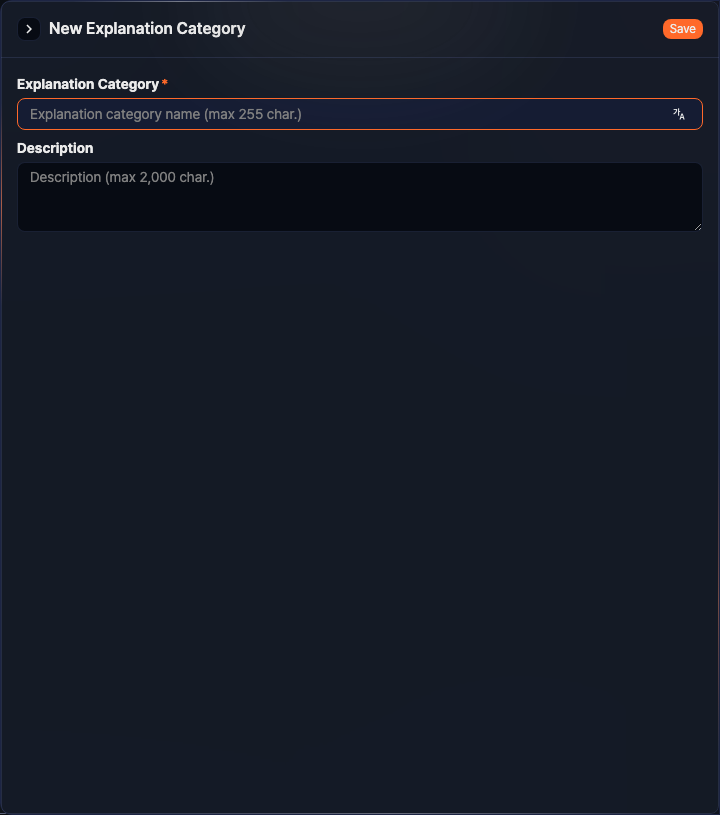
- Explanation Category: The name of the category (required, up to 255 characters). You cannot use a name that is already in use.
- Description: A description of the category (up to 2,000 characters)
-
Click Save.
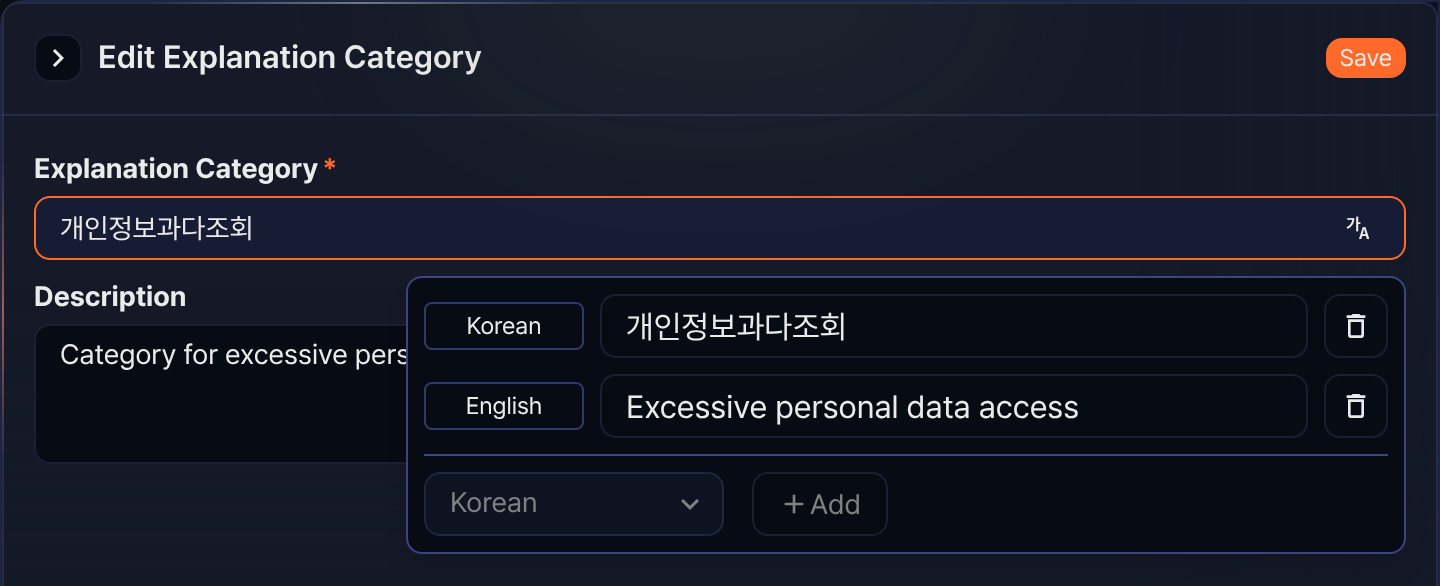
To register the category name per language, click the multilingual button at the right end of the Explanation Category box. Pick a language and click Add to get a row for the name in that language. You can register Korean and English, and a per-language name can be up to 50 characters. To drop a language you registered, click delete ( ) at the right end of its row.
The screenshot below shows the multilingual input open while editing a category that already has both names. Once both languages are registered, the language list and Add turn inactive because nothing is left to pick.
Editing an explanation category
To edit an explanation category:
-
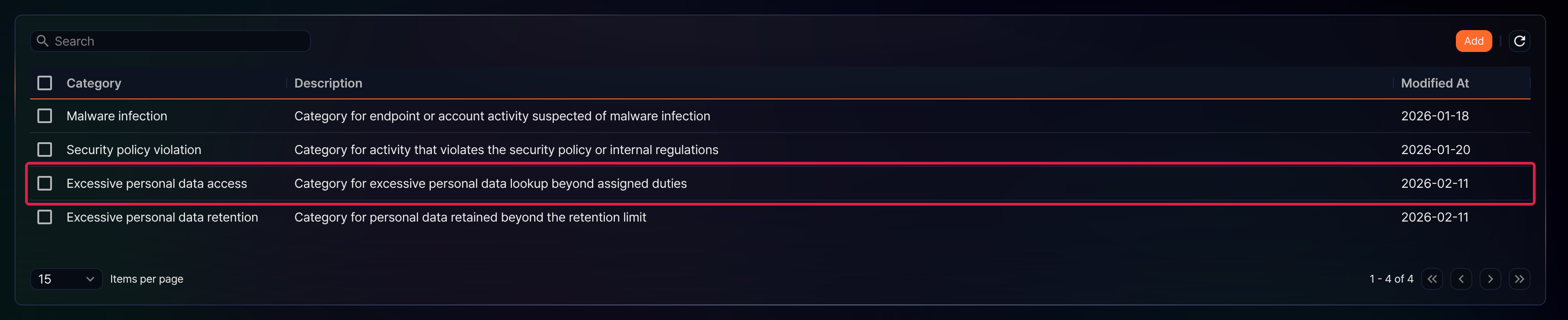
Click the row of the category you want to edit on the explanation category list. Any spot on the row works, not just the name cell.
-
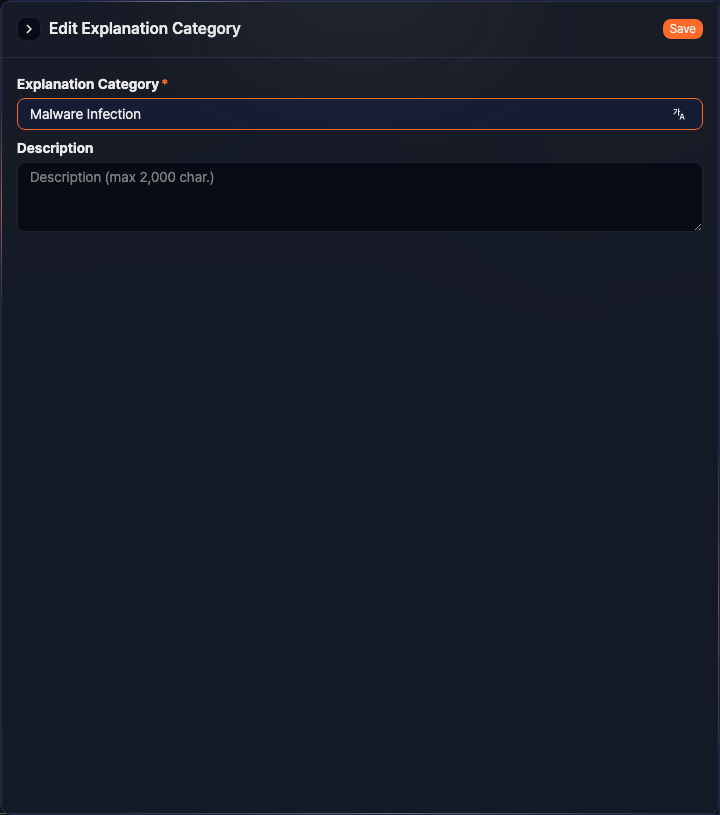
Edit the name and the description on the Edit Explanation Category panel, then click Save. The input fields are the same as in Adding an explanation category.
Deleting an explanation category
To delete an explanation category:
-
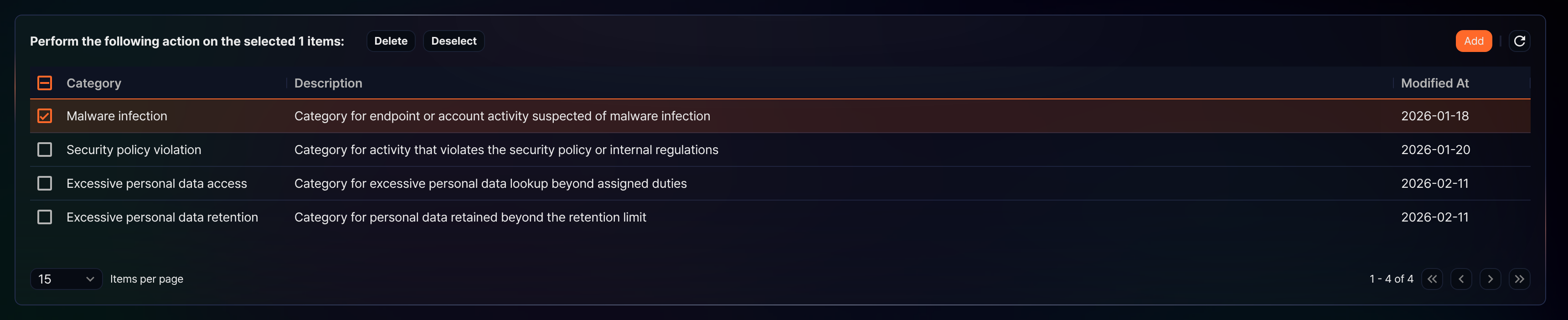
Select the checkbox to the left of the category you want to delete on the explanation category list. You can select several categories at once.
-
As soon as you select a category, the search area of the toolbar turns into a message with the number of selected items and the Delete and Deselect buttons. Click Delete.
-
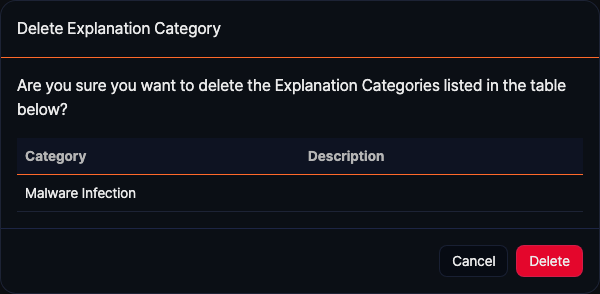
Check the category and the description on the Delete Explanation Category dialog box and click Delete. The Category column of this dialog box shows the registered name, not the per-language name. To keep the category, click Cancel.
You cannot delete a category that an existing explanation request uses. In that case Sonar reports "This Explanation category is in use." along with the names it could not delete. You also cannot delete a category that a stream or batch detection scenario points to, and in that case Sonar reports only that the deletion failed.
If even one of the categories you selected cannot be deleted, none of them are deleted.