
Push templates
Overview
When an event detected by a stream or batch detection rule involves an employee, an explanation request is sent to that employee by email and SMS (see Adding an explanation). Messages also go to explanation reviewers (employees). This page manages the templates for those emails and SMS messages.
When an employee clicks the hyperlink in the email or SMS, they are directed to the explanation submission page defined in the push template, where they can write and submit their explanation. Reviewers open the explanation the same way, through the hyperlink in their message.
Templates can be created in three supported languages: Korean, English, and Chinese.
Only cluster administrators can use this page. Other roles see the notice "Permission required to modify configuration."
Text Macros for Templates
The template supports text macros that insert predefined content into the email subject, the email body, or the SMS body. A macro is stored exactly as you type it and is replaced with the actual value when the message is sent.
| Macro | Description |
|---|---|
| $category | Category |
| $emp_key | Personnel number of the violator |
| $emp_name | Full name of the violator |
| $emp_title | Job title of the violator |
| $url | Submission page URL |
| $expire_date | Submission deadline date (yyyy-MM-dd format) |
| $expire_time | Submission deadline time (HH:mm:ss format) |
| $create_date | Date the explanation was requested (yyyy-MM-dd format) |
| $create_time | Time the explanation was requested (HH:mm:ss format) |
| $user_note | Content entered in the Explanation Request Message field of the stream or batch detection rule |
Separation of Communication Ports
The web console and the explanation submission/review page use separate communication ports. The port assigned to the explanation submission/review page differs depending on how the system was set up.
- Upgraded from an earlier version:
- The previously configured web access address and port number will be retained for backward compatibility.NoteThe web console and the explanation submission/review page share one communication port. Separating the ports is recommended to strengthen security.
- Newly installed:
- The port number will be specified using the
logpresso.sonar.explanation_portJVM option (default value if unspecified: 18443).# Use port 12345 for the explanation request/review page communication port -Dlogpresso.sonar.explanation_port=12345
Web Endpoint
The web endpoint is the access address used for the hyperlinks provided in the explanation request email/SMS and review request email/SMS, linking to the explanation submission/review page.
To set the web access address, enter it in the format https://IP address:port number and click Save.
- IP Address: The IP address of the Logpresso server. In a cluster configuration, specify the virtual IP address of the control node.
- Port Number: The port number specified by the
logpresso.sonar.explanation_portJVM option (default: 18443).
Below is an example of setting the web access address in an environment where the hostname can be resolved to an IP address.

Push Template: Email Template
In Push Templates, you write the subject and body of three emails, one language at a time.
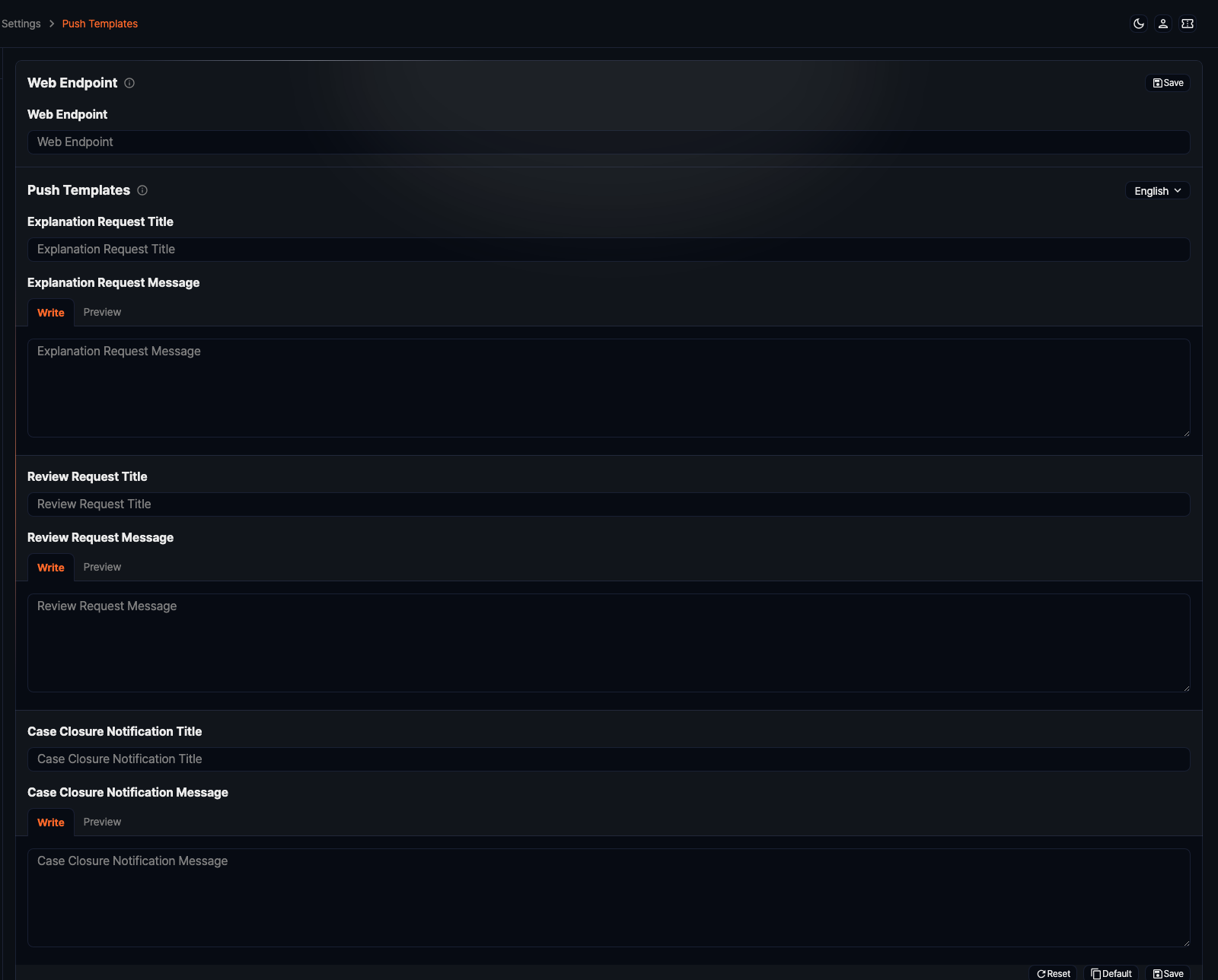
- Explanation request: Sent to the violator when an explanation is requested, and again when a returned explanation is requested anew.
- Review request: Sent to the reviewer once the violator submits an explanation.
- Case closure notification: Sent to the violator when the explanation closes as Closed or Audit-completed.
All three are written the same way.
- Select the language (Korean, English, Chinese) from the dropdown in the upper right, then write the template. The page always opens with Korean selected, whatever the console language is, so pick the language first to see or edit another one.
- Write the body as HTML in the Write tab. Most mail clients ignore
styletags, so apply formatting with inline styles. - Reset: Reloads the saved content.
- Default: Loads the built-in default template, provided for each language.
- Save: Saves the template. If it contains unsupported HTML tags, a confirmation dialog opens; proceeding strips those tags along with the text inside them, extra spaces, and special characters.
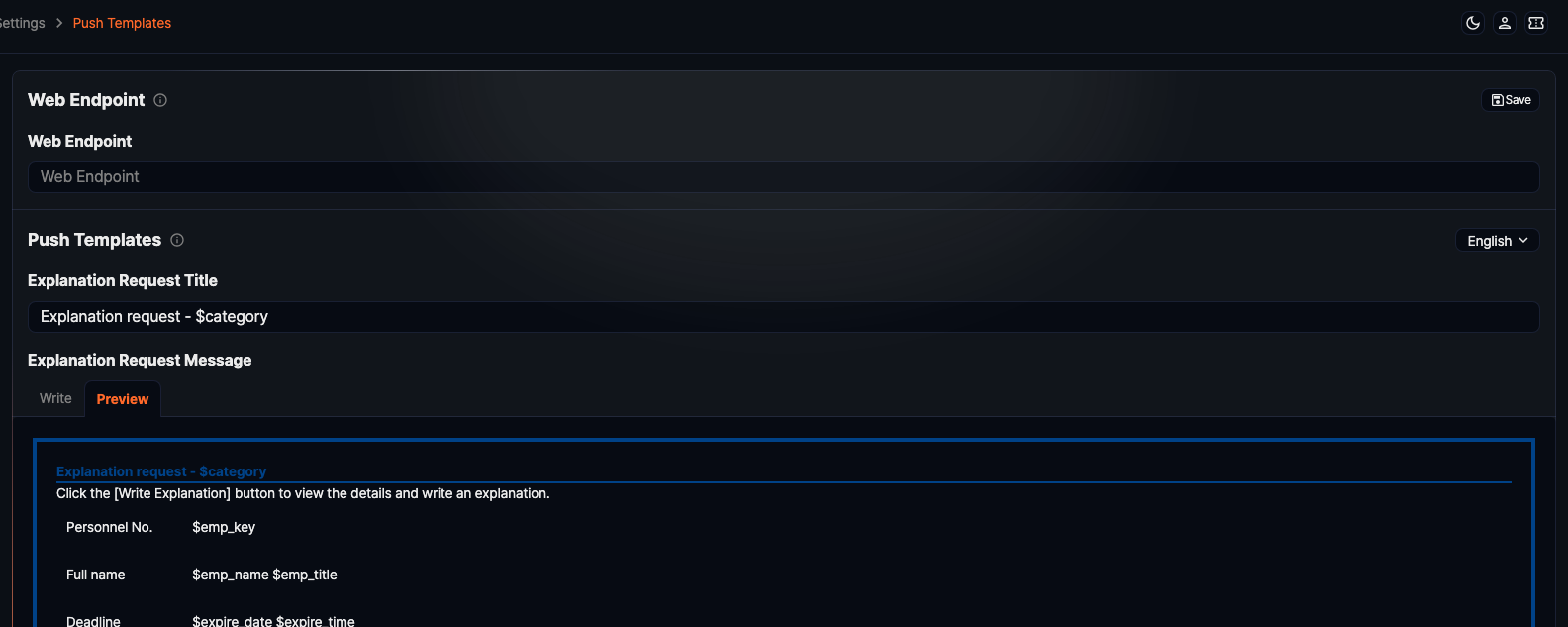
The Preview tab shows the template rendered as HTML. Macros are replaced when the message is sent, so the preview still shows the macro names.
Push Template: SMS Template
In SMS Notification, you write the SMS messages used for explanation requests and review requests, one language at a time.
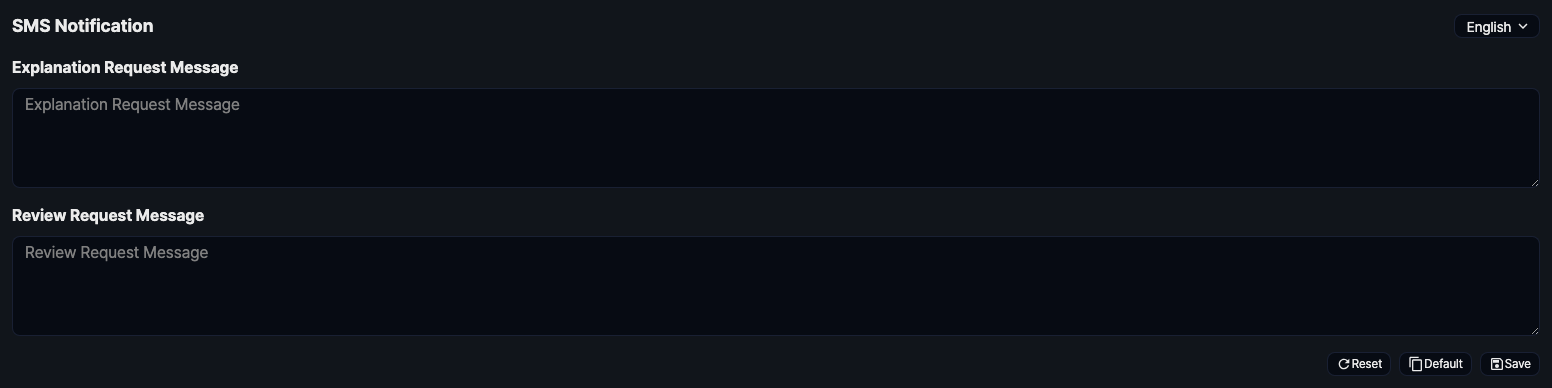
- Select the language (Korean, English, Chinese) from the dropdown in the upper right, then write the template. As with the email templates, Korean is selected first.
- Reset: Reloads the saved content.
- Default: Loads the built-in default template.
- Save: Saves the template.
- The SMS body accepts the same text macros as the email templates.