
Query monitor
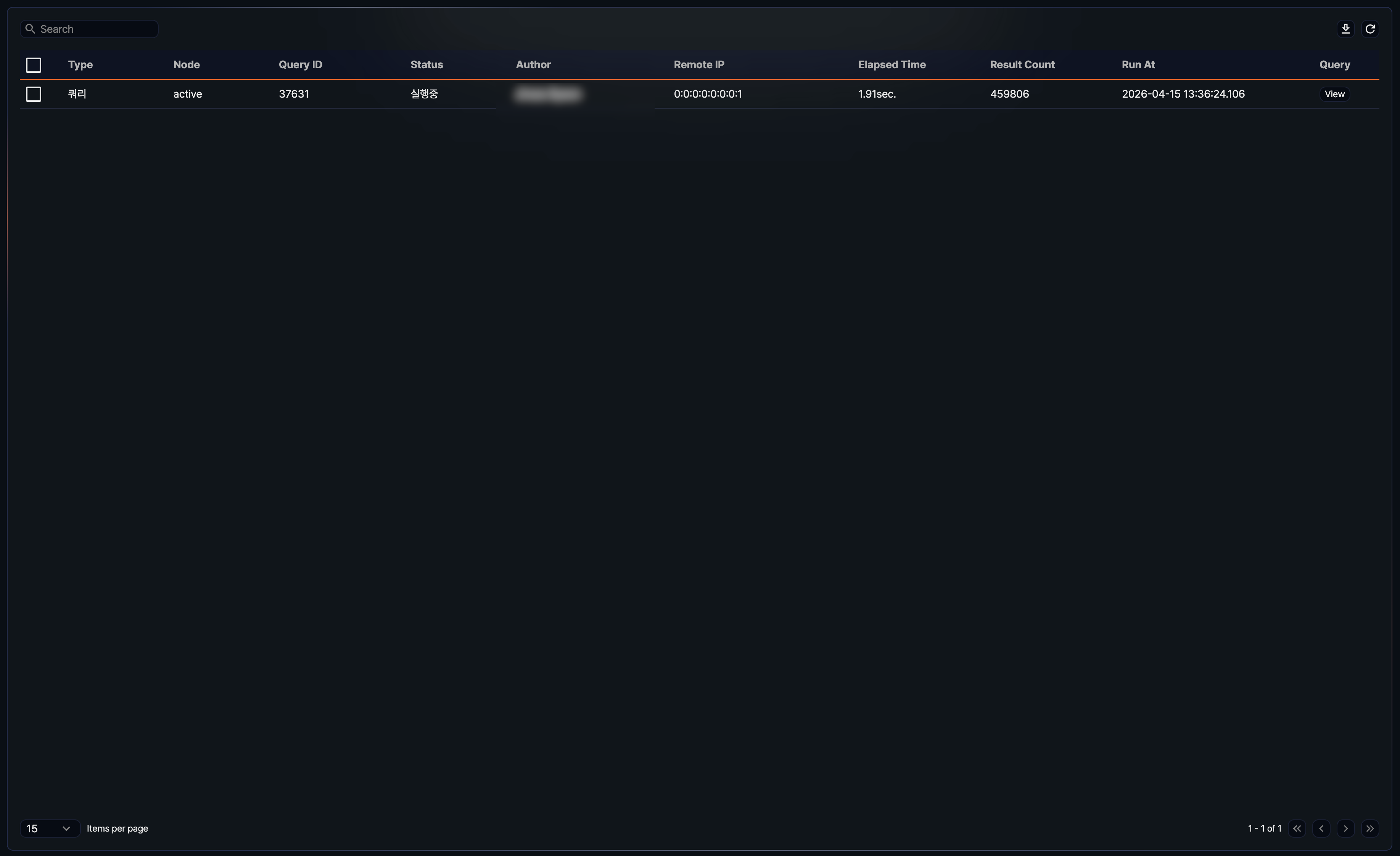
In Settings > Query Monitor, view the list of queries running in Logpresso Sonar. Only cluster administrators can use this menu. The list does not refresh automatically — it shows a snapshot from the moment you open the page, search, refresh, or change pages.
- Type: Type of query (for example, Web Console, Adhoc, Web App, REST API, Scheduled, Batch Rule, Java SDK, or System)
- Node: Whether the node that ran the query is the active or standby node in its node pair (active or standby)
- Query ID: Unique identifier for the query
- Status: Current execution status of the query (Running or Finish)
- Author: Name of the account that ran the query
- Remote IP: Client IP address from which the query was run
- Elapsed Time: Time the query has taken to run
- Result Count: Number of records returned by the query
- Run At: Date and time the query started
- Query: Shows a View button that opens the query statement
To find a query by its query statement, node, author name, account name, or remote IP address, enter a keyword in the search box at the upper left of the list. If you enter multiple keywords separated by spaces, any query that matches at least one of them appears. To see the latest state, click  at the upper right of the list.
Downloading the query list
To download the query list as a file, click  at the upper right of the list. In the Download Queries dialog, specify the File Name, Columns, File Format, Encoding, and Range, then click Download.
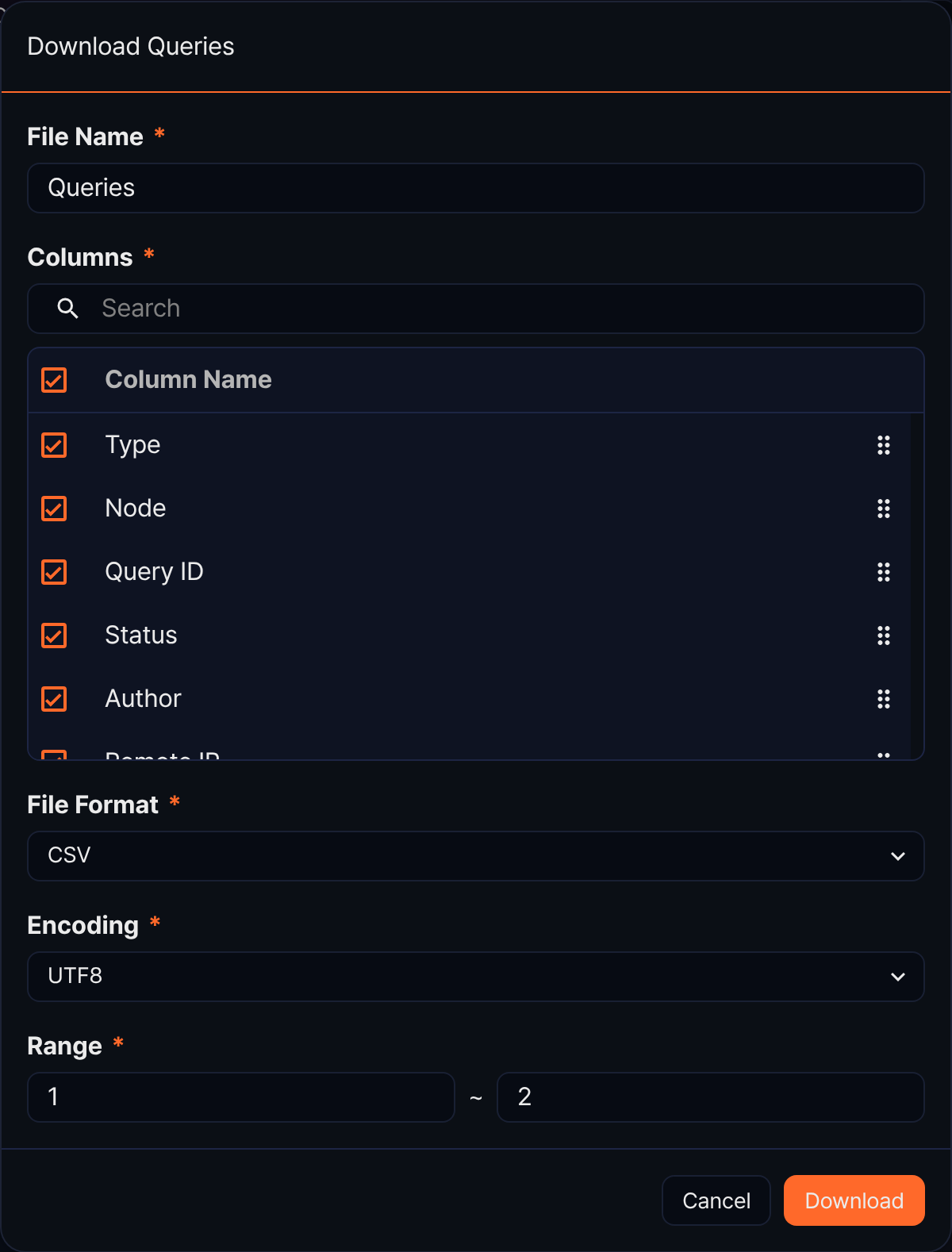
- File Name: Defaults to Queries, up to 200 characters.
- Columns: Choose from the same 10 fields shown in the list. The Query column shows a View button in the list, but in the downloaded file the same column contains the full query statement.
- File Format: You can choose CSV, XML, Microsoft Word, HTML, JSON, or PDF.
- Encoding: Available only when the file format is CSV or JSON. The choices depend on the console language. In the Korean console you can choose UTF8, UTF16, or MS949; the default is MS949 for CSV and UTF8 for JSON. In the English console the choices are UTF8, UTF16, and Latin 1, and the default is UTF8.
- Range: Defaults to the row number of the first row on the current page through the total record count.
Viewing a query statement
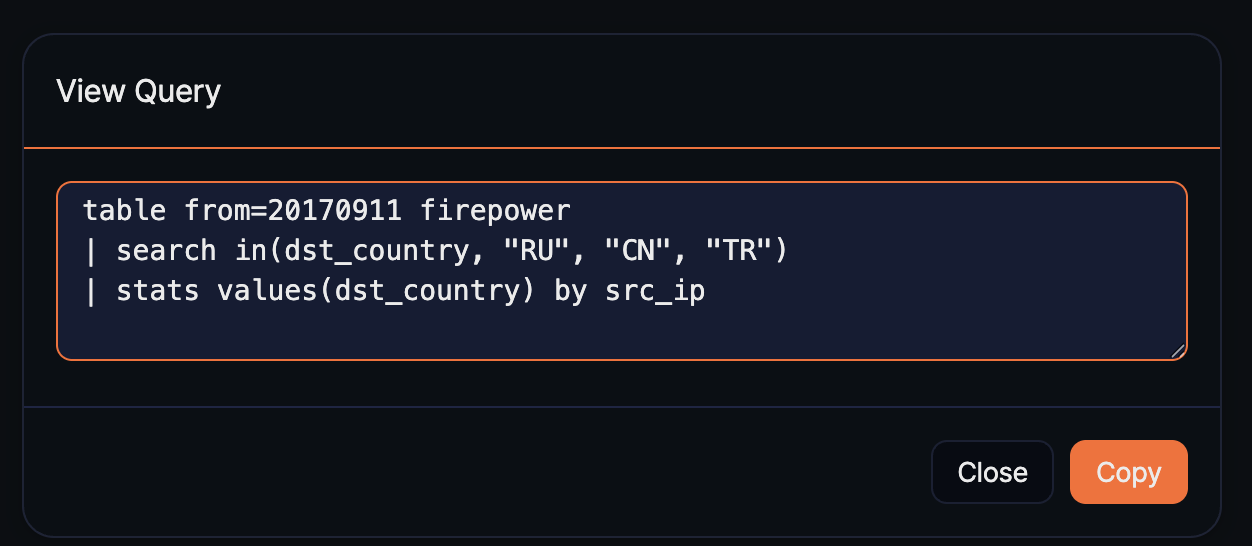
Click View to the right of a query entry to view its statement in the View Query dialog.
- Click Copy to copy the query text to the clipboard. A Query statement copied to clipboard notification appears, and the dialog closes.
Canceling a query
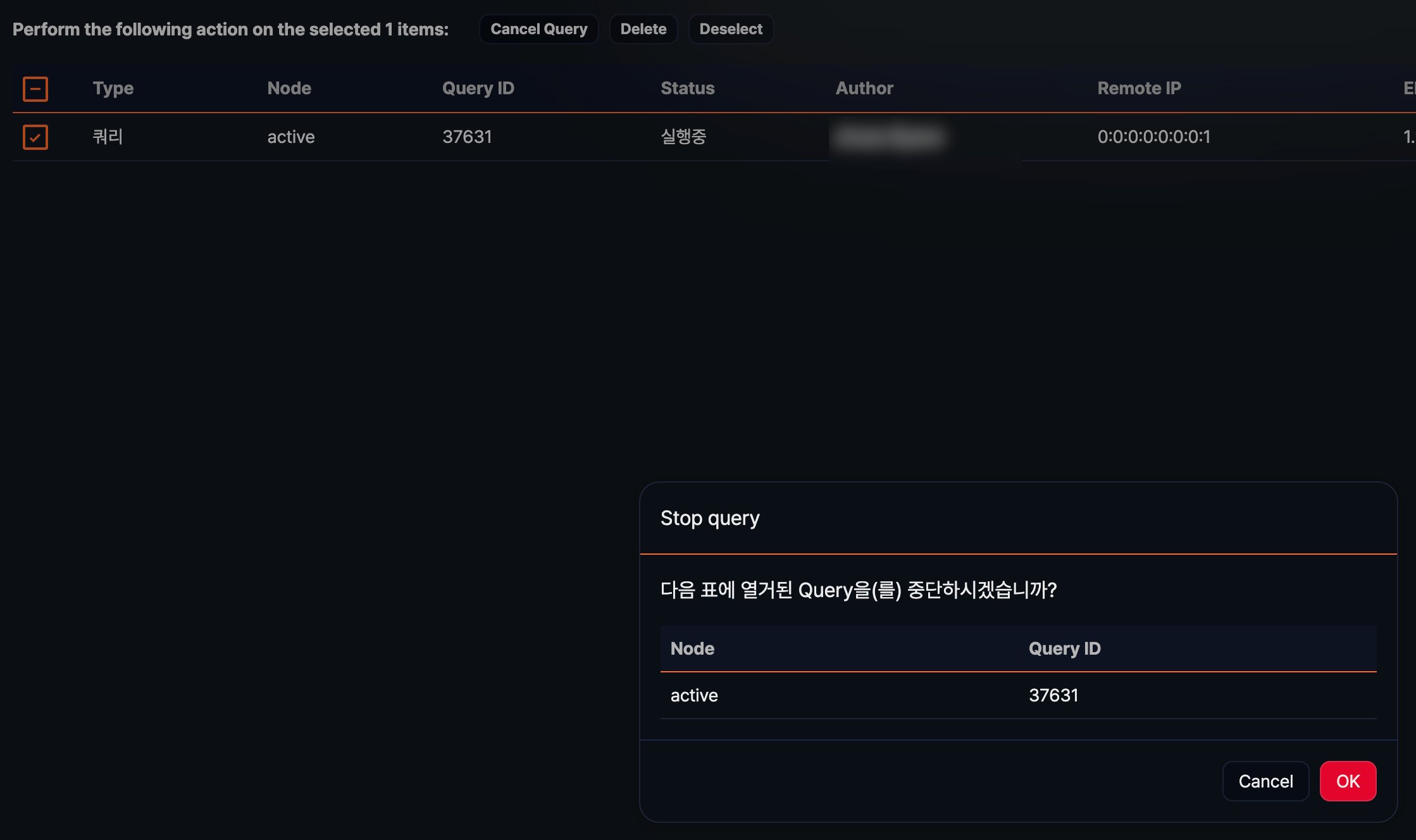
Select one or more running queries to show a selection bar above the list. Click Cancel Query to open the Stop query dialog (clicking Delete in the selection bar opens the same Stop query dialog). Check the node and query ID of the queries you are about to cancel, then click OK to cancel them immediately. Click Cancel if you do not want to cancel them. Click Deselect to clear the selection.
You cannot select a query that has already finished.