
System log
Overview
System logs are records of significant system events generated by nodes that comprise the Logpresso platform while they are running. Events such as system startup and shutdown, NTP time synchronization, Sentry connection and disconnection, bundle integrity verification, mail delivery failure, low disk space, blocked web requests, and recovery after a forced shutdown are recorded. Actions performed by users are recorded separately in the audit log. Under Settings > System Log, check for anomalies and the causes of failures on your nodes.
Only cluster administrators can use this menu.
View and search system logs
You can view or search system logs under Settings > System Log. The default search period is the last 30 days.
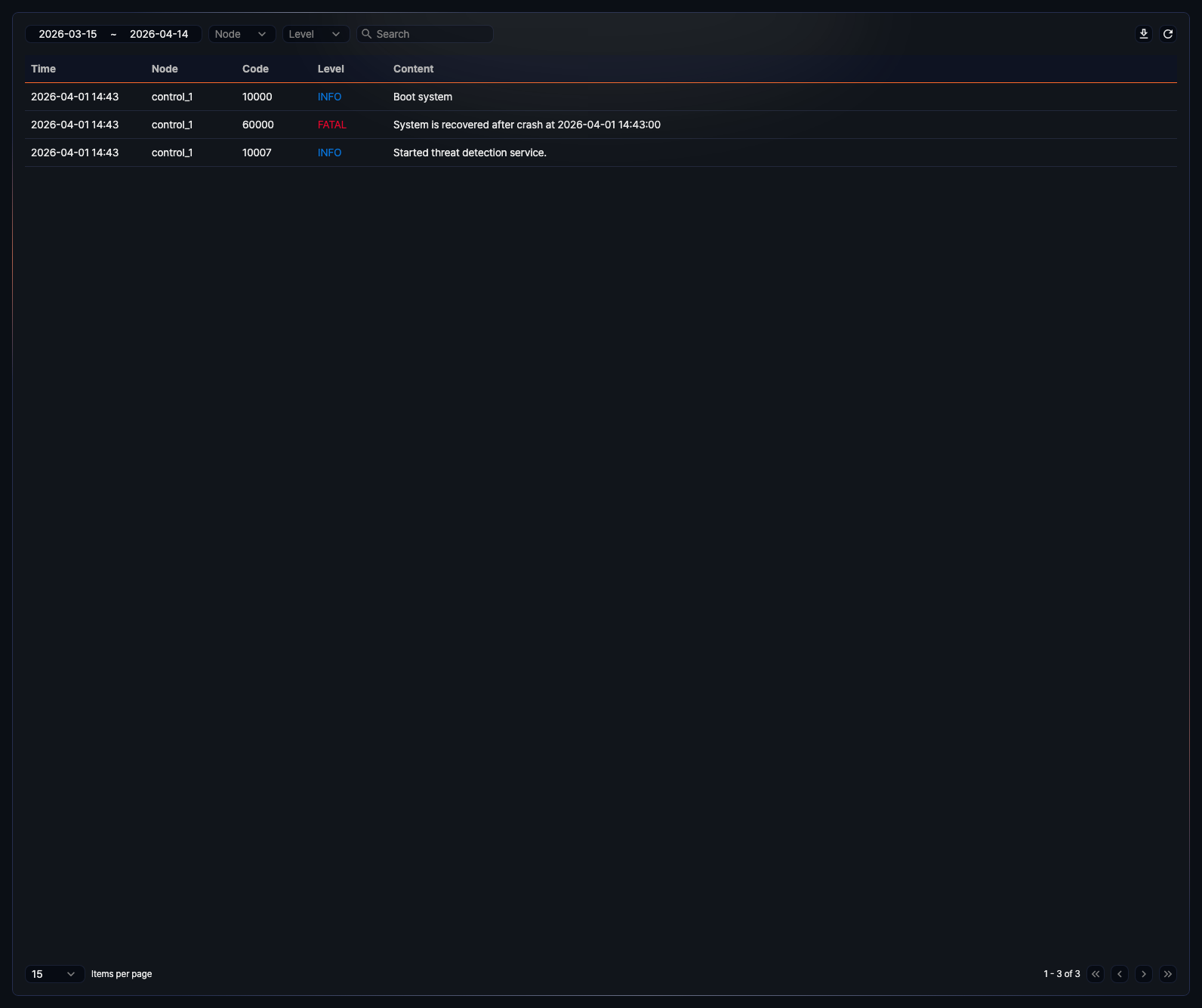
The list displays the most recent records first, showing 15 entries per page by default.
- Time: The date and time the record was created
- Node: The ID of the node that generated the log
- Code: The system log code. The same type of event is always recorded with the same code.
- Level: The severity of the event. There are four levels — INFO (blue), WARN (orange), and ERROR and FATAL (red) — always shown in English regardless of the web console language.
- Content: A sentence describing the event
In the toolbar, you can select the period to view, and use the Node and Level dropdowns to filter by node and level. Enter a keyword in the search box and press Enter to find logs that contain the keyword in the content or parameters. If you enter multiple keywords separated by spaces, all keywords must be present.
View system log details
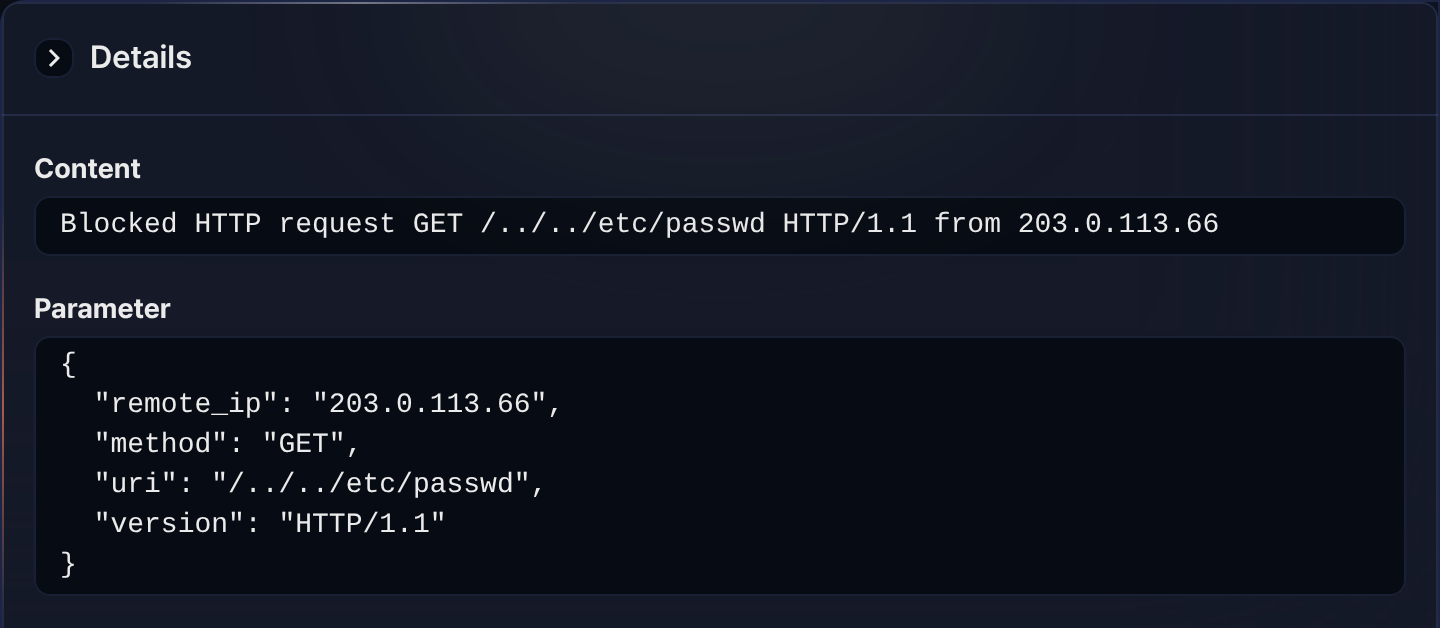
Click an entry in the list to open the Details panel and view its detailed information. The Content and Parameter fields are displayed. While the panel is open, the toolbar's period selector is disabled.
Download system logs
To download system logs:
-
Click
 at the top right of the list.
 -
In the Download System Log List dialog, specify the properties of the file to be downloaded and click Download.
The downloaded file includes only the system logs that match the list's current search conditions (period, node, level, and search keyword).
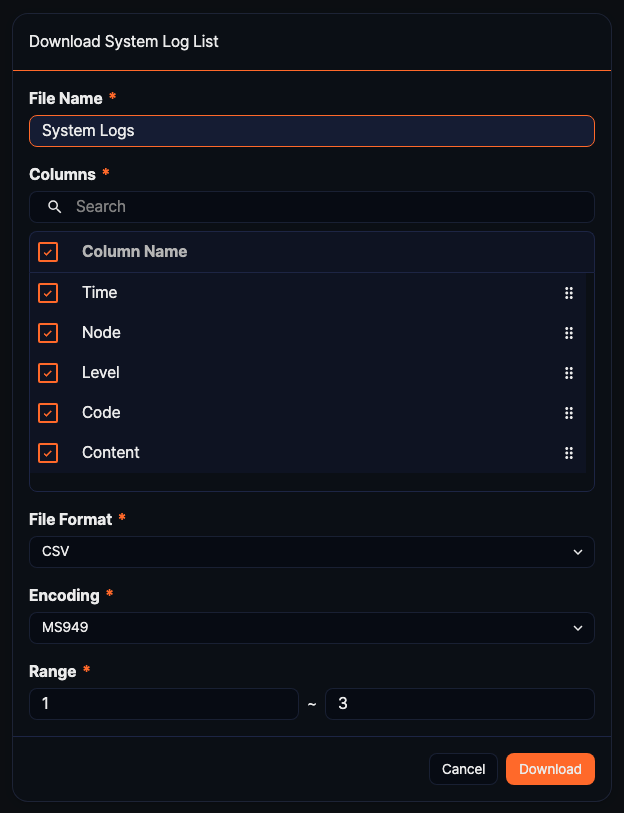
- File Name (required): Name of the file to download (default: System Logs, up to 200 characters)
- Columns (required): Fields to include in the file. Time, Node, Level, Code, and Content are all selected by default. Use the checkboxes to remove columns, or drag the handle on the right to reorder them. In the downloaded file, the Node column contains the name of the node pair the node belongs to, not the node ID.
- File Format (required): Choose from CSV (default), XML, Microsoft Word, HTML, JSON, or PDF.
- Encoding (required): File encoding. Shown only when File Format is CSV or JSON; the available options depend on the web console language. In the English web console, choose from UTF8, UTF16, or Latin 1 (default: UTF8).
- Range (required): Start and end row numbers to download (defaults to the first row of the current page through the total count). Rows are numbered in list order, so entering
1and3downloads the three most recent system logs.
If the list is empty, the download icon is disabled.
-
Once the server transmits the file to your web browser, save the file and check the downloaded system log file.