
Execute
This task lets you automate various actions using command groups. Installing a Logpresso app adds the command groups provided by that app to the playbook.
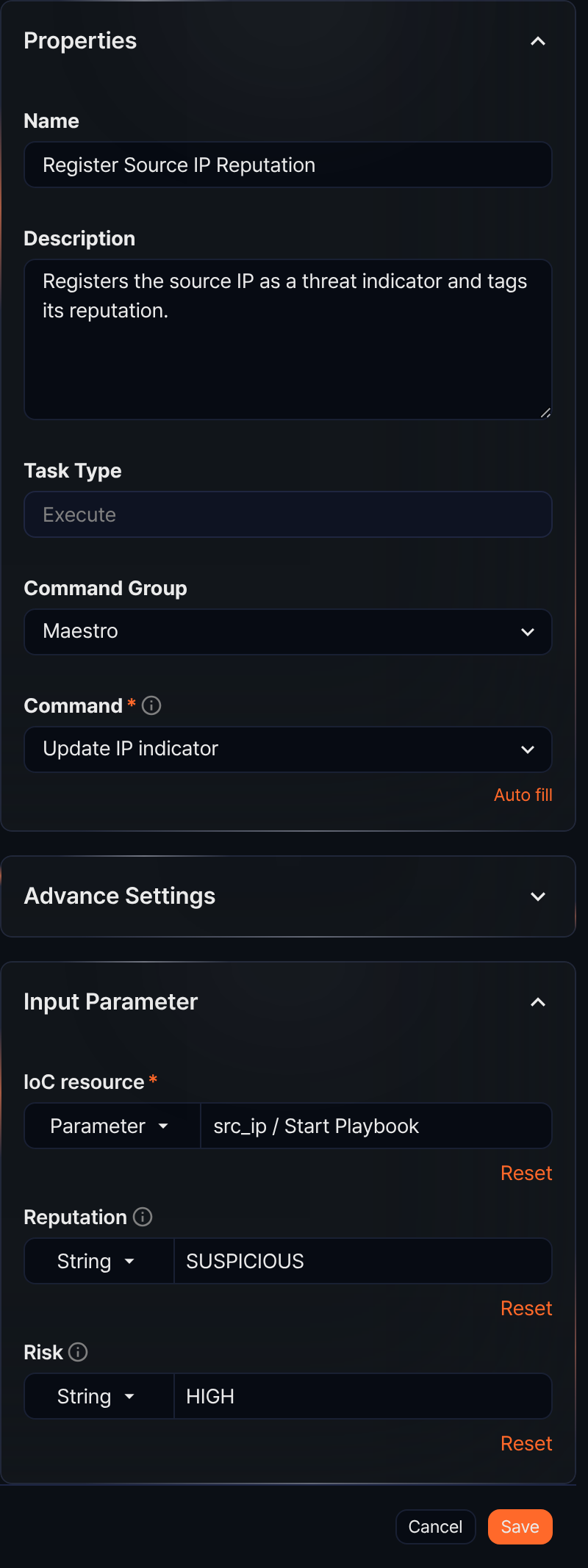
- Command Group
-
A command group is a collection of commands the task can execute. In addition to the built-in command group, installing a Logpresso app that supports playbooks extends the available command groups.
- Command
-
Select the command to execute from the command list. After selecting a Command, you can specify the required input parameters and view the output parameters.
-
The commands provided by the Maestro command group are as follows:
Command Description Create article Creates an article-type ticket and returns its GUID as an output parameter Validate directory Checks whether a local directory exists on the Logpresso Sonar system Remove blacklist Removes a specific IP address from a specified address list Add blacklist Adds a specific IP address to a specified address list Create ticket from event Creates a ticket based on an input event and returns the ticket GUID Get Investigate Result Retrieves an investigation result of a ticket Add Investigate Result Adds a query result as an investigation result and returns its GUID as an output parameter Validate file attachment Validates the local file path and size on the Logpresso Sonar system Add file attachment Attaches a file to a ticket and returns the file GUID, size, and name Update IP indicator Creates or updates an indicator (IP address) Update MD5 indicator Creates or updates an indicator (MD5) Update URL indicator Creates or updates an indicator (URL) Update Domain indicator Creates or updates an indicator (domain) Update Email indicator Creates or updates an indicator (email) Set ticket indicent Changes the incident status of a ticket Set ticket status Changes the status of a ticket Create ticket Creates a new ticket and returns its GUID as an output parameter Set ticket attack Changes the true/false positive status of a ticket Set ticket priority Changes the priority of a ticket Add ticket comment Adds a comment to a ticket Set ticket tags Sets tags on a ticket Add ticket tags Adds tags to a ticket Set ticket assignee Sets the assignee and approver of a ticket Add pattern Adds a pattern to a pattern group -
The commands provided by the Sonar command group are as follows:
Command Description Send report Generates a report for a specified date range using a registered report template and sends it by email Export report Generates a report for a specified date range using a registered report template and saves it
Create article
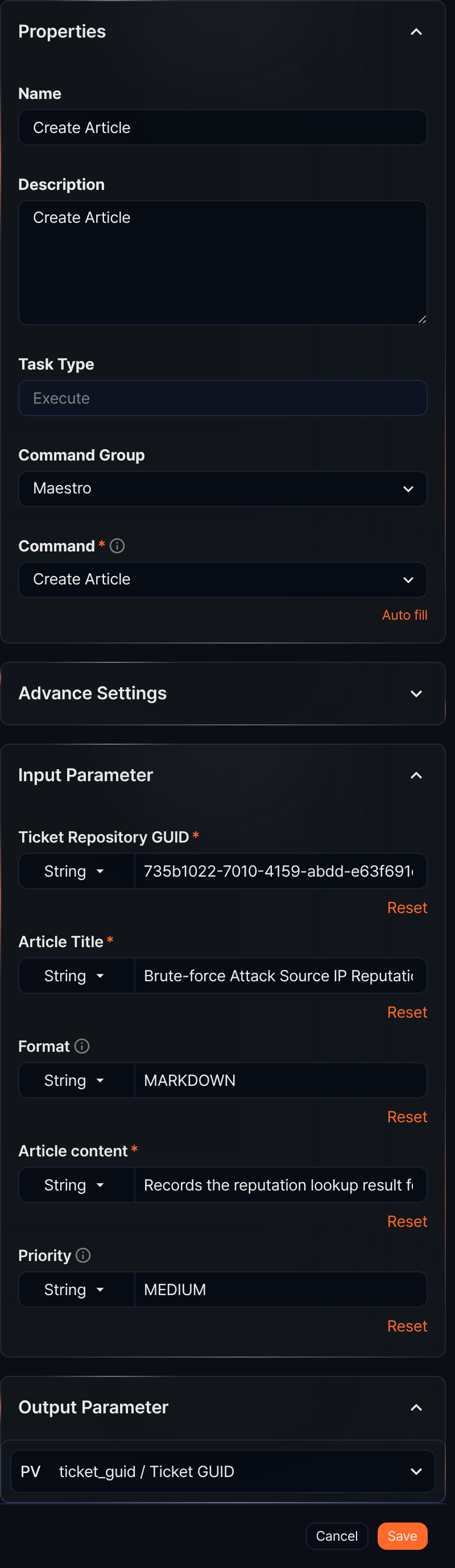
When the Command is Create Article, this task creates an article-type ticket and returns the ticket's GUID as an output parameter.
- Input parameters
- The input parameters are as follows:
Input parameter Description Ticket repository GUID* The GUID of the ticket repository where the ticket will be created Article title* The title of the ticket to create Format Input format for the article content ( PLAINorMARKDOWN; defaults toMARKDOWN)Article content* The article content Priority One of LOW,MEDIUM, orHIGH. Defaults toLOWif not specified.- All input parameters can be set by selecting from the Parameter list or by selecting String and entering a value.
- The parameter list only includes values defined in preceding task output parameters or playbook input parameters.
- Output parameters
- The output parameters are as follows:
Parameter Name Description ticket_guid Ticket GUID The GUID of the created ticket
Validate directory
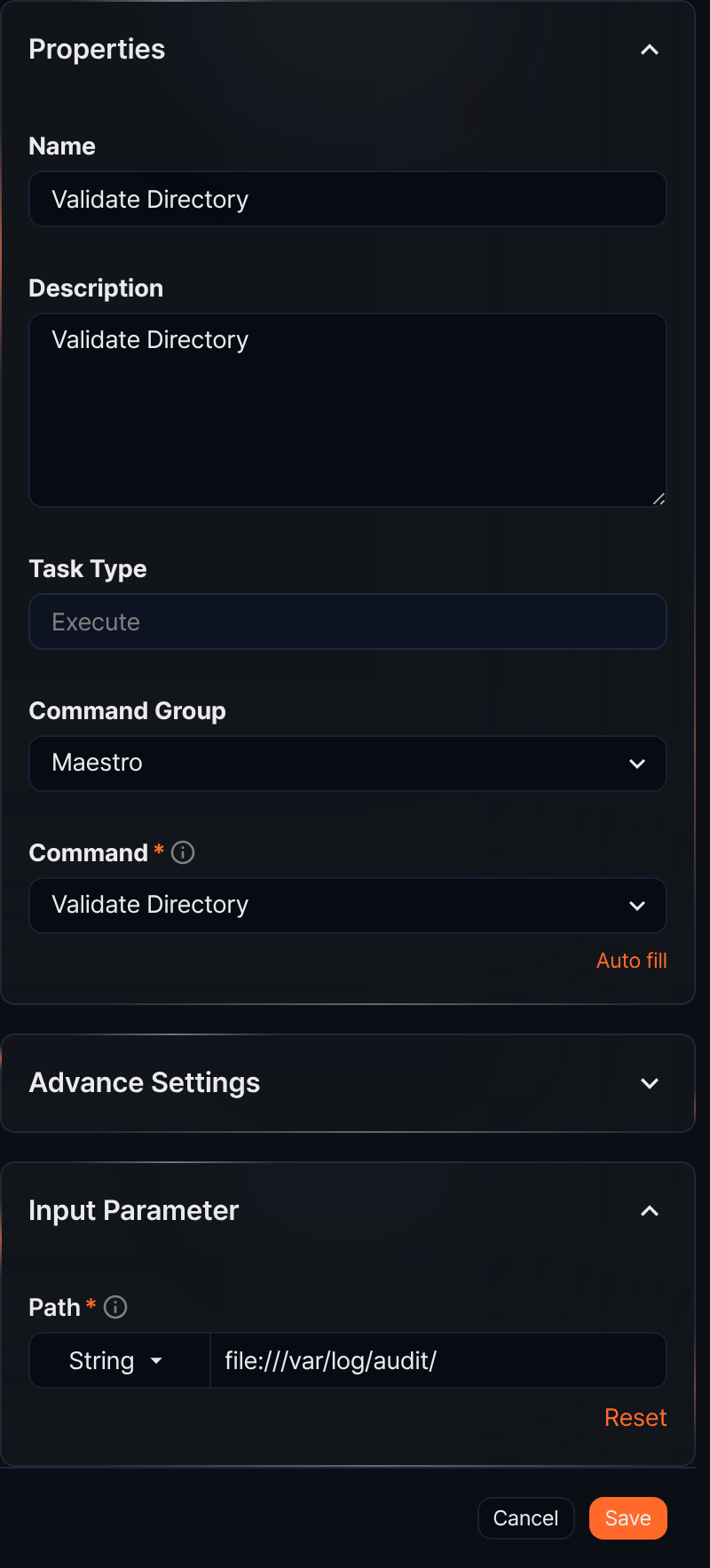
When the Command is Validate Directory, this task checks whether a directory exists on the local file system of the server running the playbook. The task fails if the directory does not exist.
- Input parameters
- The input parameters are as follows:
Input parameter Description Path* Directory path starting with file://
Remove blacklist
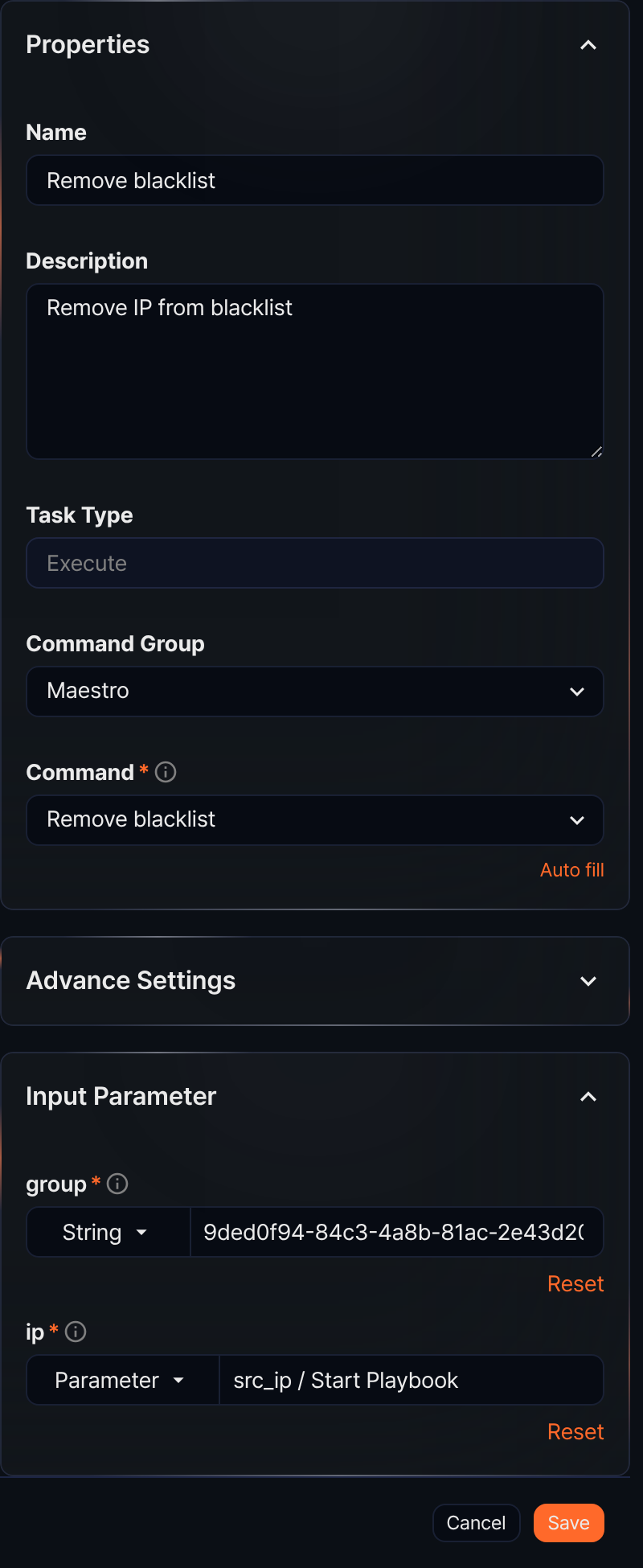
When the Command is Remove blacklist, this task removes a specific IP address from a specified address list.
- Input parameters
- The input parameters are as follows:
Input parameter Description group* The GUID of the address group ip* The IP address to remove from the group
Add blacklist
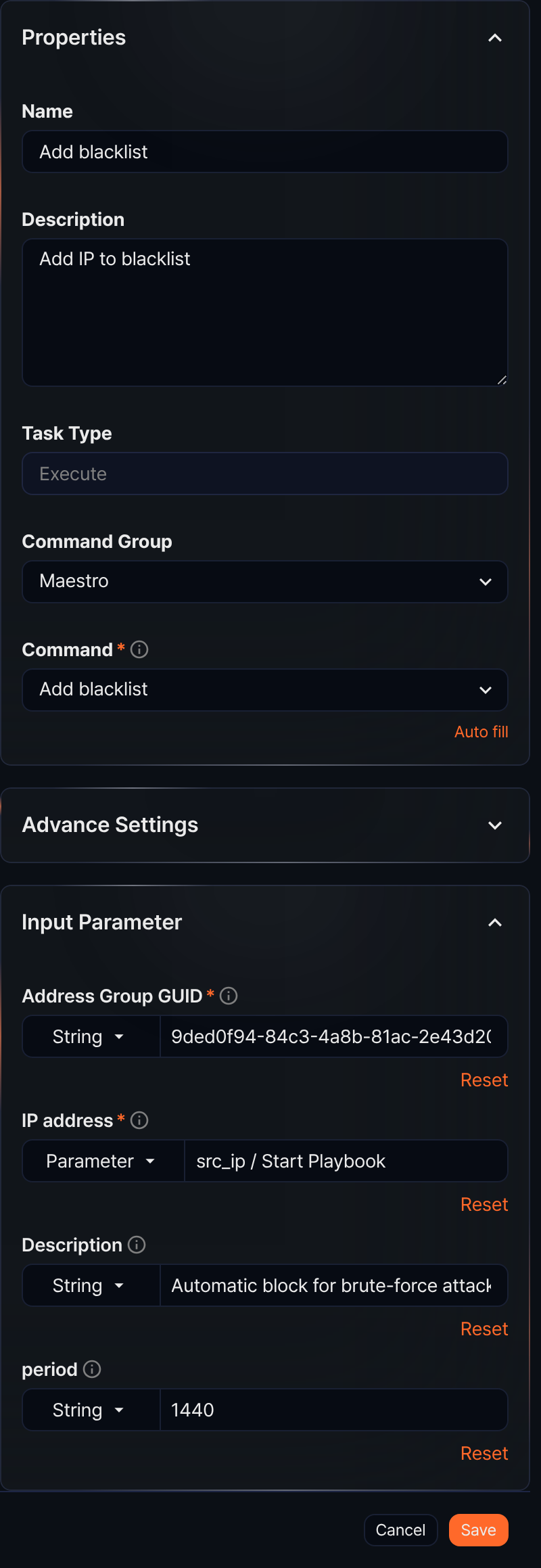
When the Command is Add blacklist, this task adds an IP address to be managed as a blocklist entry in the specified address group.
- Input parameters
- The input parameters are as follows:
Input parameter Description Address group GUID* The GUID of the address group IP address* The IP address to add to the group Description A detailed description of the IP address period The duration to maintain the IP address, in minutes
Create ticket from event
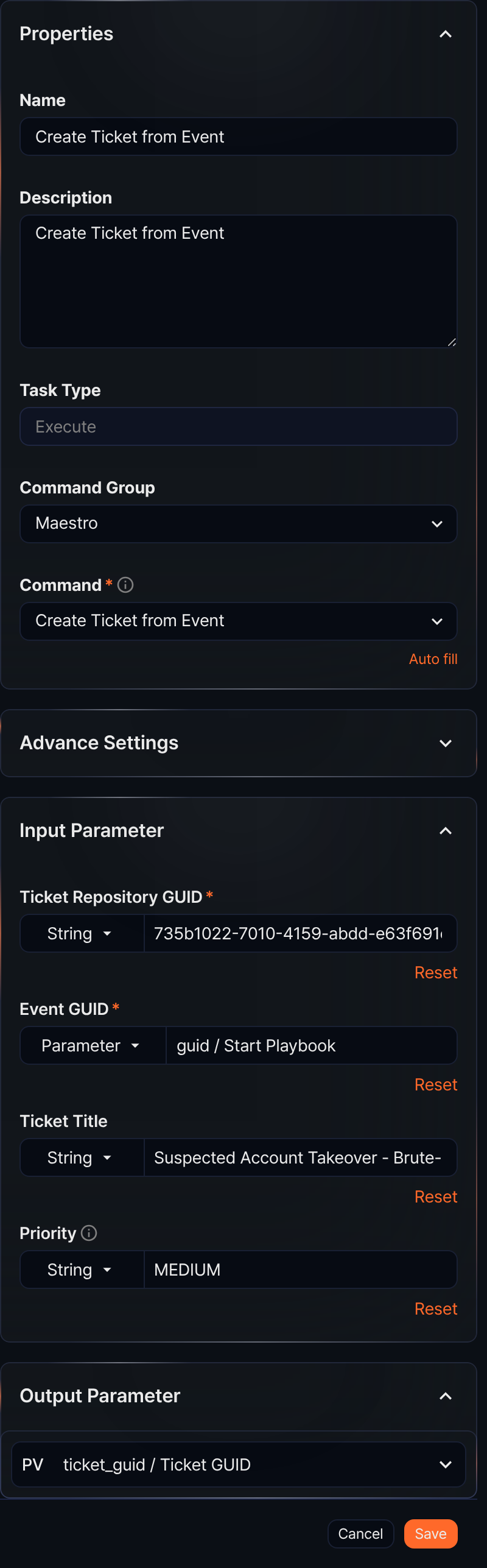
When the Command is Create Ticket from Event, this task creates a new ticket based on a specified event and returns the ticket GUID as an output parameter.
- Input parameters
- The input parameters are as follows:
Input parameter Description Ticket repository GUID* The GUID of the ticket repository Event GUID* The GUID of the event the ticket references Ticket title The title of the ticket Priority One of LOW,MEDIUM, orHIGH. Defaults toLOWif not specified. - Output parameters
- The output parameters are as follows:
Parameter Name Description ticket_guid Ticket GUID The GUID of the created ticket
Get Investigate Result
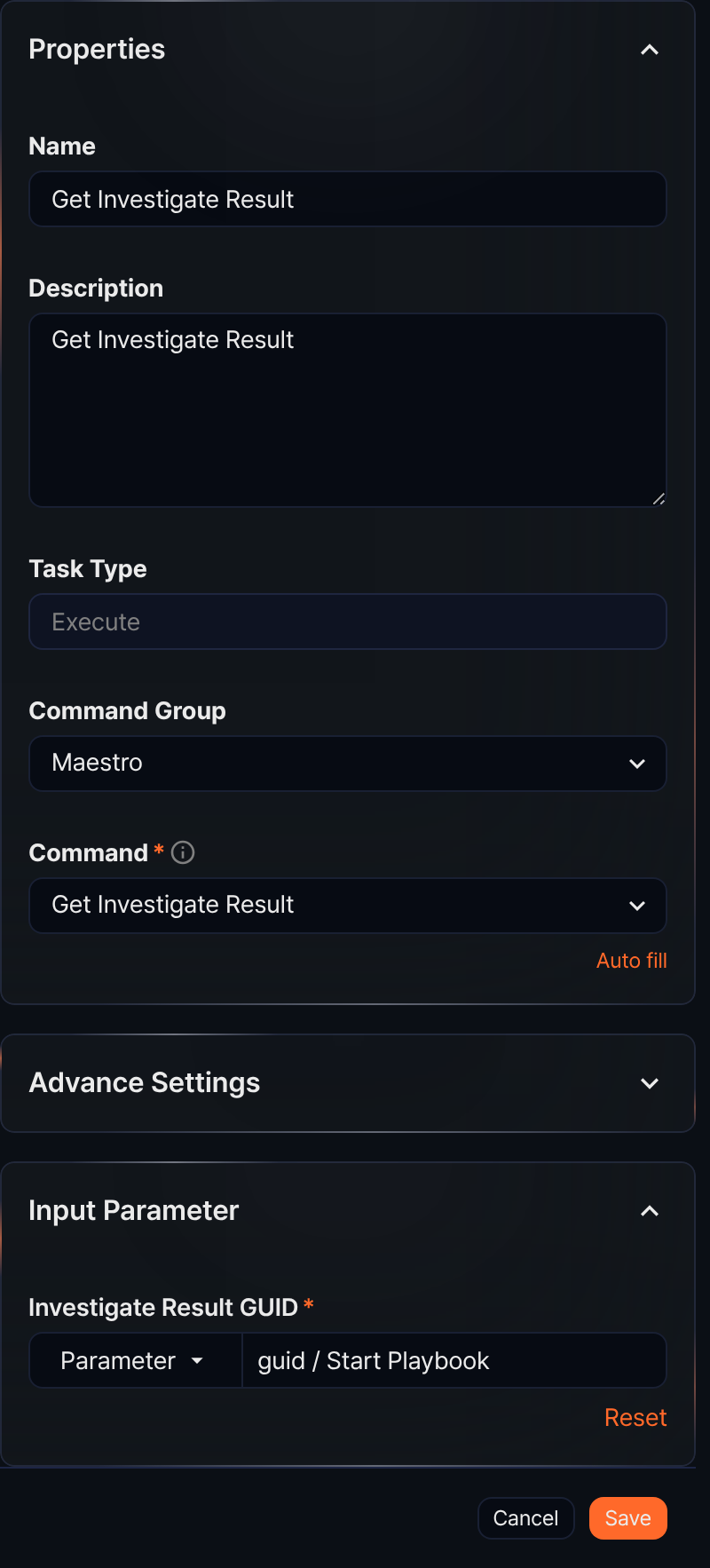
When the Command is Get Investigate Result, this task retrieves an investigation result of a ticket.
- Input parameters
- The input parameters are as follows:
Input parameter Description Investigate Result GUID* The GUID of the investigation result to retrieve
Add Investigate Result
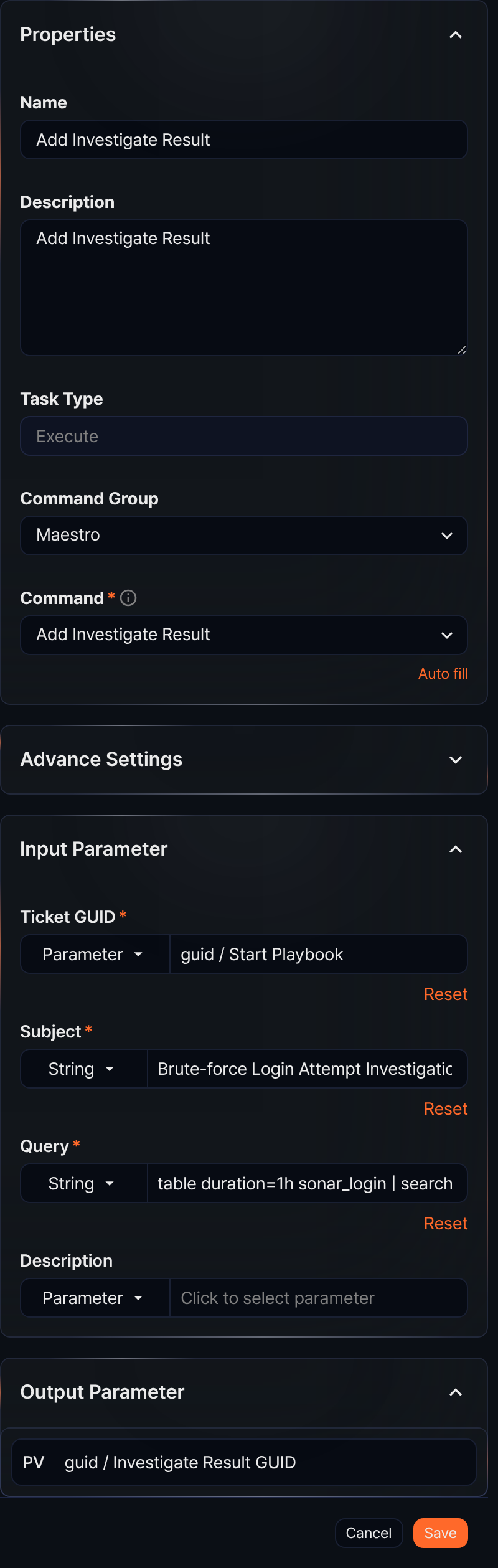
When the Command is Add Investigate Result, this task adds a query result as an investigation result to a ticket and returns its GUID as an output parameter.
- Input parameters
-
The input parameters are as follows:
Input parameter Description Ticket GUID* The GUID of the ticket to add the investigation result to Subject* The subject of the investigation result to add Query* The query used to generate the investigation result Description A description of the investigation result -
Enter the query in string mode. The entered value is saved as-is, and quotes are applied automatically when the command runs.
- Output parameters
-
The output parameters are as follows:
Parameter Name Description guid Investigate Result GUID The GUID of the created investigation result
Validate file attachment
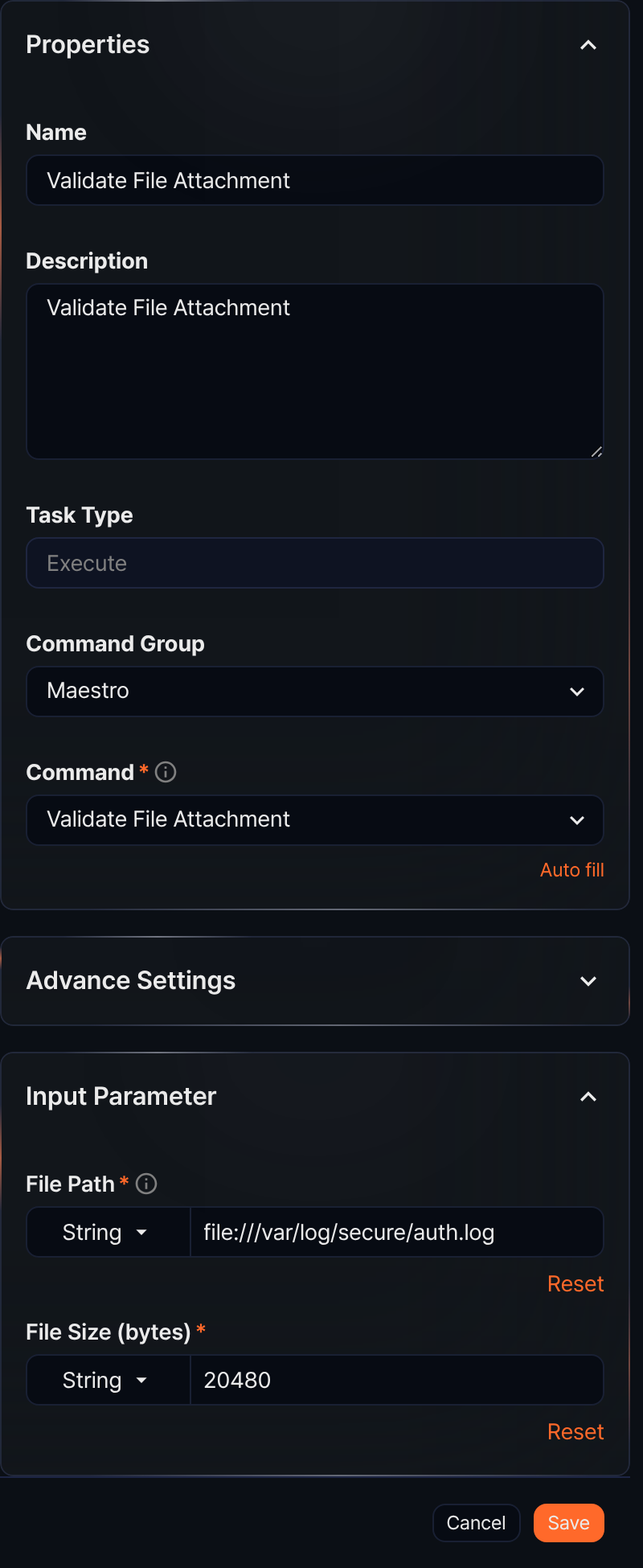
When the Command is Validate File Attachment, this task validates the size of a file on the local file system of the server running the playbook.
- Input parameters
-
The input parameters are as follows:
Input parameter Description File path* File path starting with file://File size (bytes)* File size in bytes -
This task checks whether the file at the specified path matches the specified size.
Add file attachment
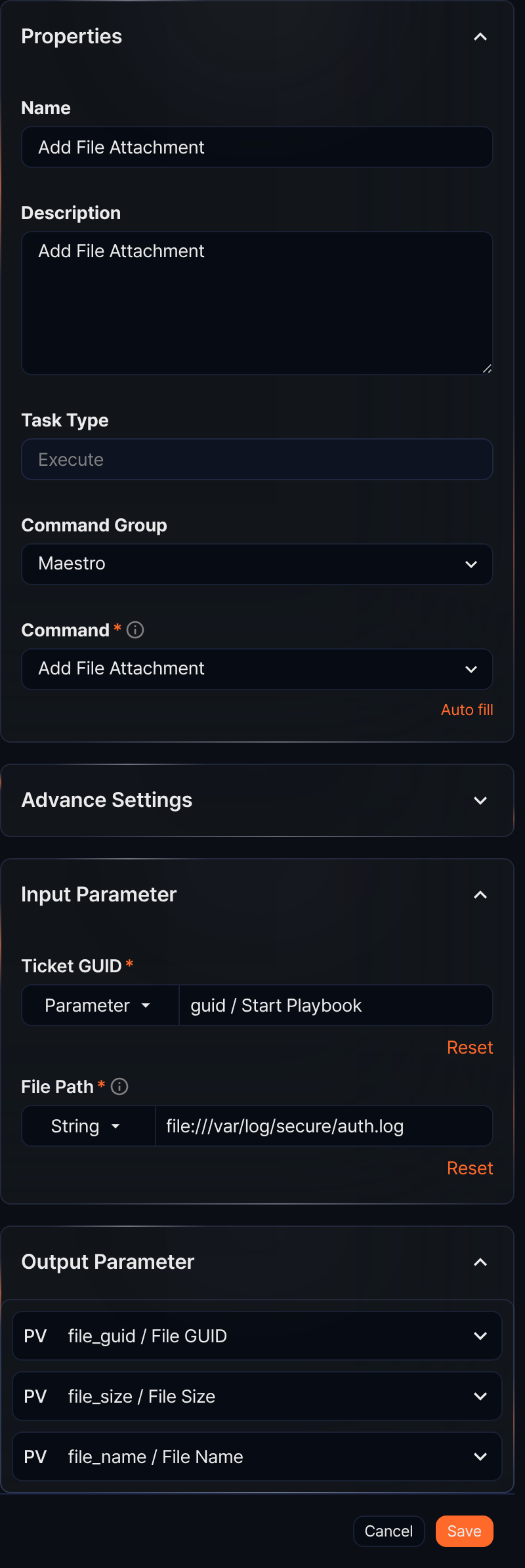
When the Command is Add File Attachment, this task attaches a file to an existing ticket and returns the file's GUID, size, and name as output parameters.
- Input parameters
- The input parameters are as follows:
Input parameter Description Ticket GUID* The GUID of the ticket to attach the file to File path* File path starting with file://,https://, orhttp:// - Output parameters
- The output parameters are as follows:
Parameter Name Description file_guid File GUID The GUID of the attached file file_size File size Size in bytes file_name File name The name of the file
Update IP/MD5/URL/Domain/Email indicator
When the Command is Update IP indicator, Update MD5 indicator, Update URL indicator, Update Domain indicator, or Update Email indicator, this task creates or updates an indicator (IP address, MD5, URL, domain, or email address).
The properties panel for this command looks like the figure in the Execute section above (the Register Source IP Reputation task).
- Input parameters
- The input parameters are as follows:
Input parameter Description IoC resource* The type-specific identifier of the indicator (IP address, MD5, URL, domain, or email address) Reputation One of UNKNOWN,BENIGN,SUSPICIOUS, orMALICIOUSRisk One of HIGH,MEDIUM,LOW, orBENIGN
Set ticket indicent
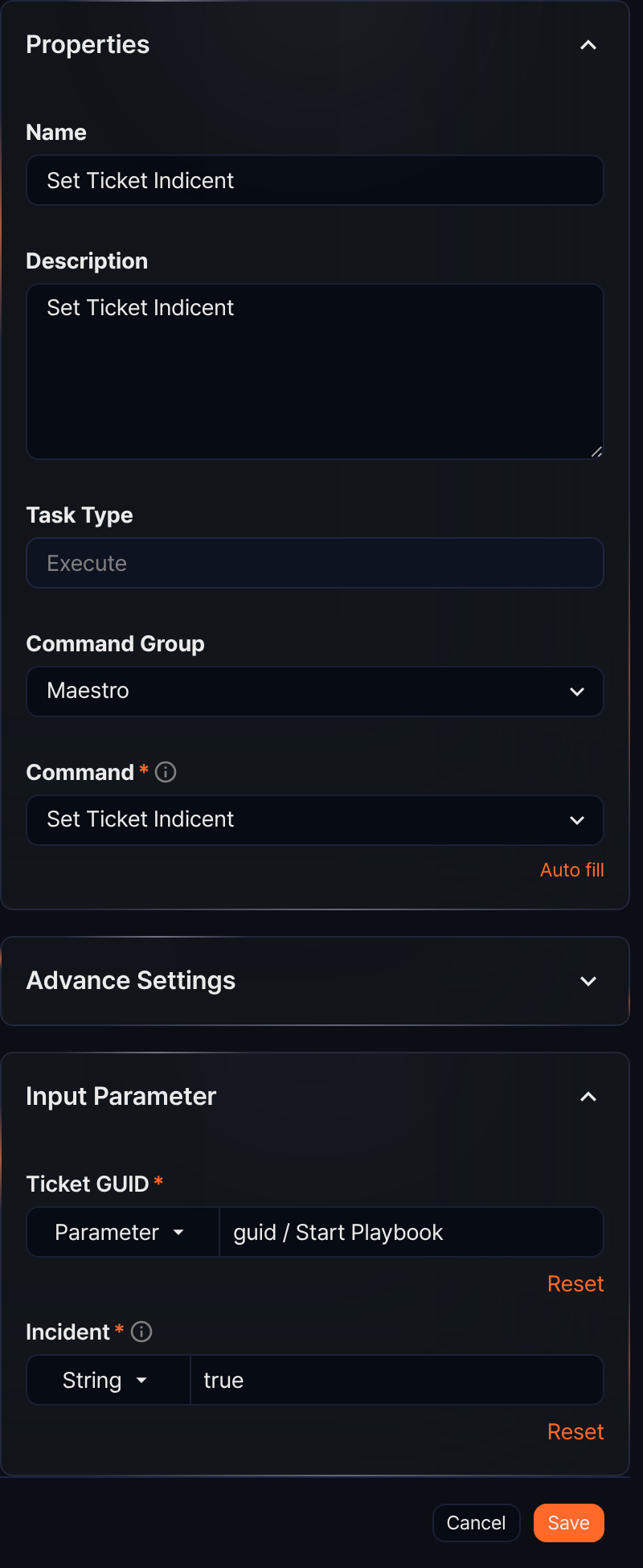
When the Command is Set Ticket Indicent, this task changes the incident status of a specified ticket.
- Input parameters
- The input parameters are as follows:
Input parameter Description Ticket GUID* The GUID of the ticket Incident* The incident status: true(incident) orfalse(normal)
Set ticket status
When the Command is Set Ticket Status, this task changes the status of a ticket.
- Input parameters
- The input parameters are as follows:
Input parameter Description Ticket GUID* The GUID of the ticket Ticket status* The status of the ticket. One of APPROVED,SUBMITTED,REJECTED, orCLOSED.
Create ticket
Creates a new ticket and returns the ticket GUID as an output parameter.

- Input parameters
- The input parameters are as follows:
Input parameter Description Ticket repository GUID* The GUID of the ticket repository Ticket title* The title of the ticket Source IP The source IP address of the ticket Source port The source port of the ticket Destination IP The destination IP address of the ticket Destination port The destination port of the ticket Protocol The protocol of the ticket User The user associated with the ticket Host The host associated with the ticket Mail sender The mail sender of the ticket Mail receiver The mail receiver of the ticket Mail CC The mail CC of the ticket URL The URL of the ticket MD5 The MD5 of the ticket Device IP The asset IP of the ticket Device name The device name (hostname) of the asset IP Site The site of the ticket Priority One of LOW,MEDIUM, orHIGH. Defaults toLOWif not specified. - Output parameters
- The output parameters are as follows:
Parameter Name Description ticket_guid Ticket GUID The GUID of the created ticket
Set ticket attack
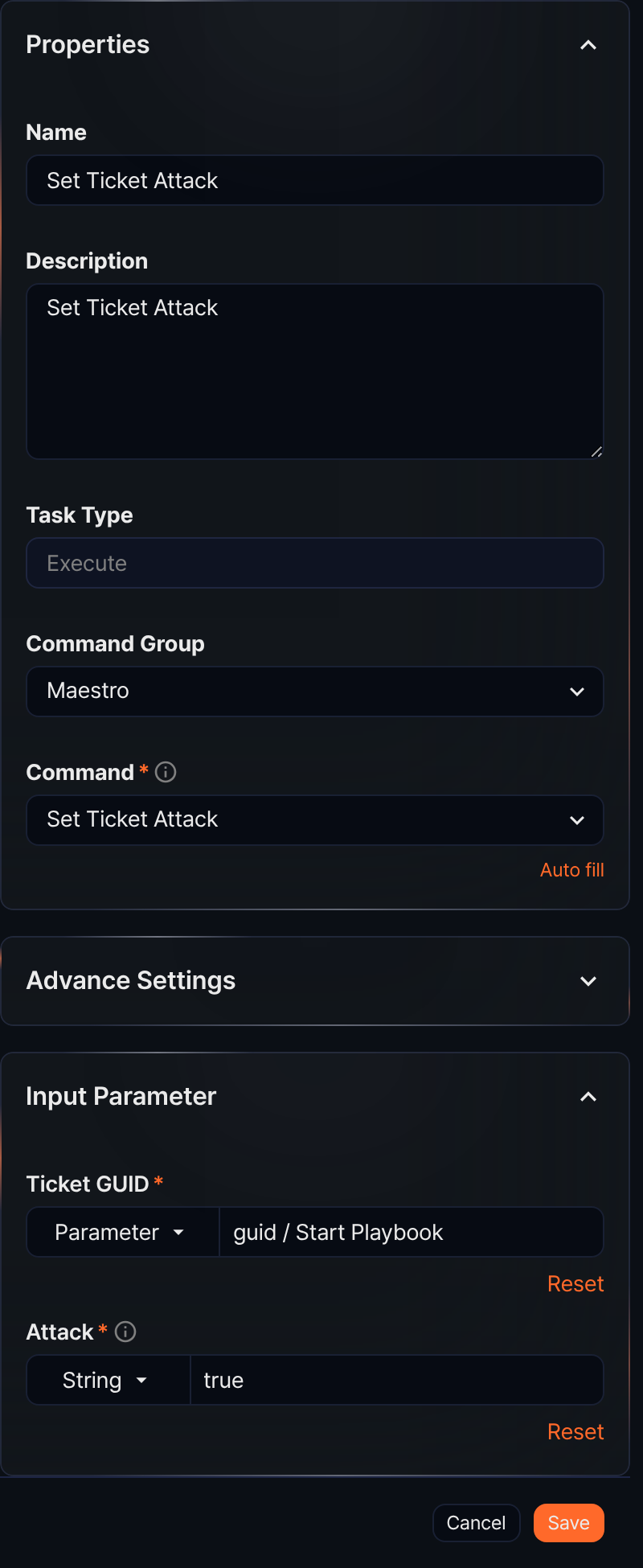
When the Command is Set Ticket Attack, this task changes the true/false positive status of an existing ticket.
- Input parameters
- The input parameters are as follows:
Input parameter Description Ticket GUID* The GUID of the ticket Attack* The true/false positive status: true(true positive) orfalse(false positive)
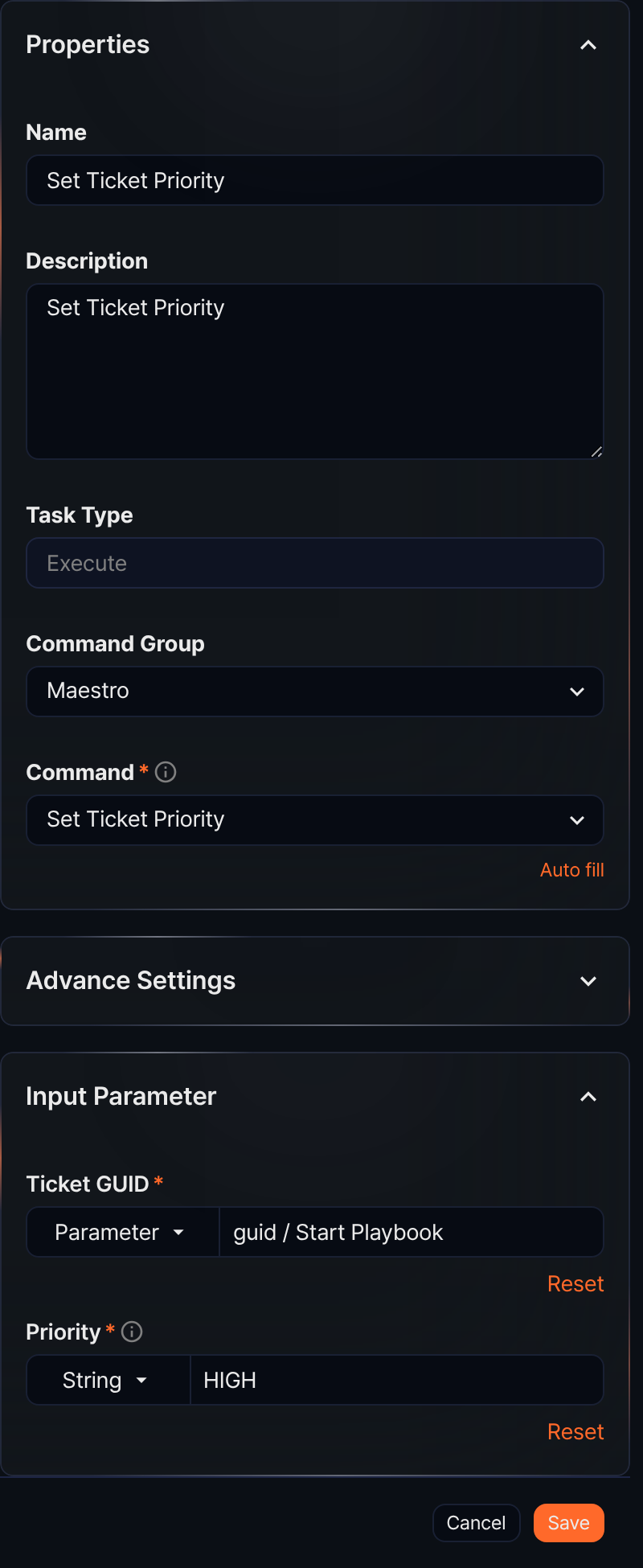
Set ticket priority
When the Command is Set Ticket Priority, this task changes the priority of an existing ticket.
- Input parameters
- The input parameters are as follows:
Input parameter Description Ticket GUID* The GUID of the ticket Priority* One of LOW,MEDIUM, orHIGH
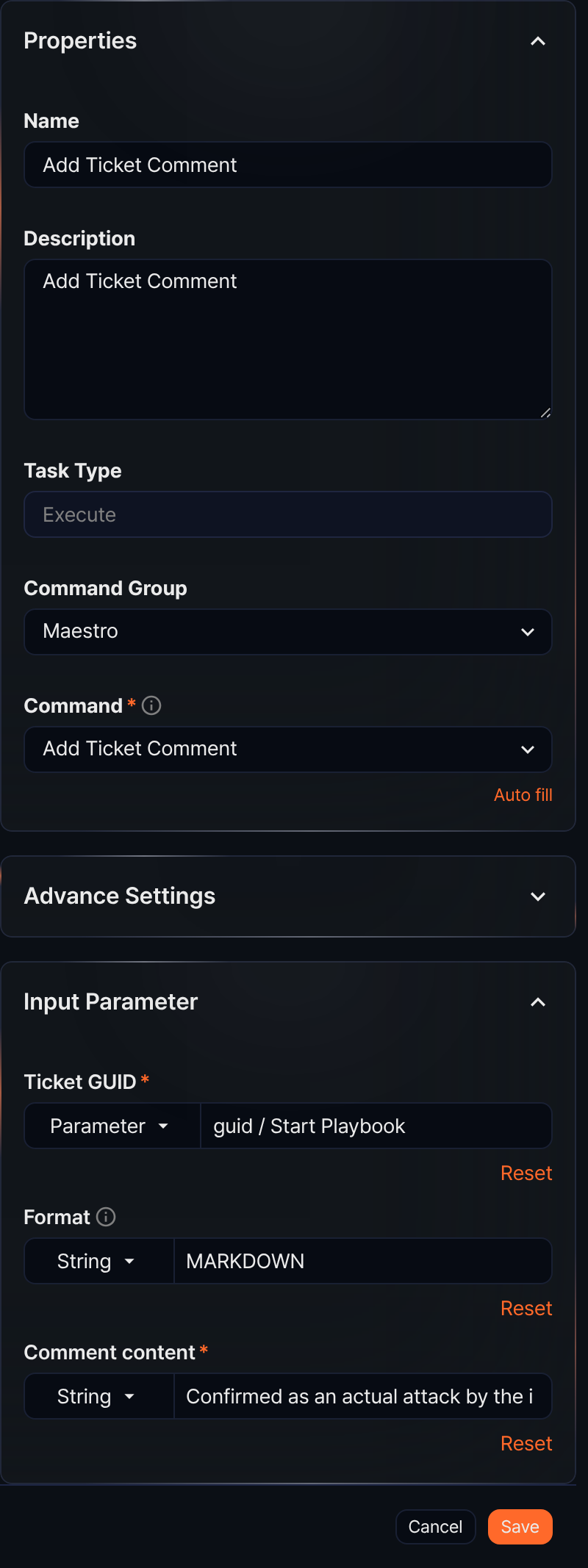
Add ticket comment
When the Command is Add Ticket Comment, this task adds a comment to a ticket.
- Input parameters
- The input parameters are as follows:
Input parameter Description Ticket GUID* The GUID of the ticket Format One of PLAIN,JSON, orMARKDOWN. Defaults toMARKDOWNif not specified.Comment content* The comment text
Set ticket tags
When the Command is Set Ticket Tags, this task sets tags on a ticket.
- Input parameters
-
The input parameters are as follows:
Input parameter Description Ticket GUID* The GUID of the ticket Tag GUID* A comma-separated list of tag GUIDs -
When entering multiple tag GUIDs, separate them with commas without spaces after the comma (e.g.,
339ee35f-91c0-4eb9-a04e-9d614d295546,cc70f5cf-d9ad-4d6e-8e6d-17297904cea9).
Add ticket tags
When the Command is Add Ticket Tags, this task adds tags to a ticket.
- Input parameters
-
The input parameters are as follows:
Input parameter Description Ticket GUID* The GUID of the ticket Tag GUID* A comma-separated list of tag GUIDs -
When entering multiple tag GUIDs, separate them with commas without spaces after the comma (e.g.,
339ee35f-91c0-4eb9-a04e-9d614d295546,cc70f5cf-d9ad-4d6e-8e6d-17297904cea9).
Set ticket assignee
When the Command is Set Ticket Assignee, this task sets the assignee and approver of a ticket.
- Input parameters
- The input parameters are as follows:
Input parameter Description Ticket GUID* The GUID of the ticket User GUID* The account GUID. Accepts array input. Ticket Assign Type* APPROVERorASSIGNEE
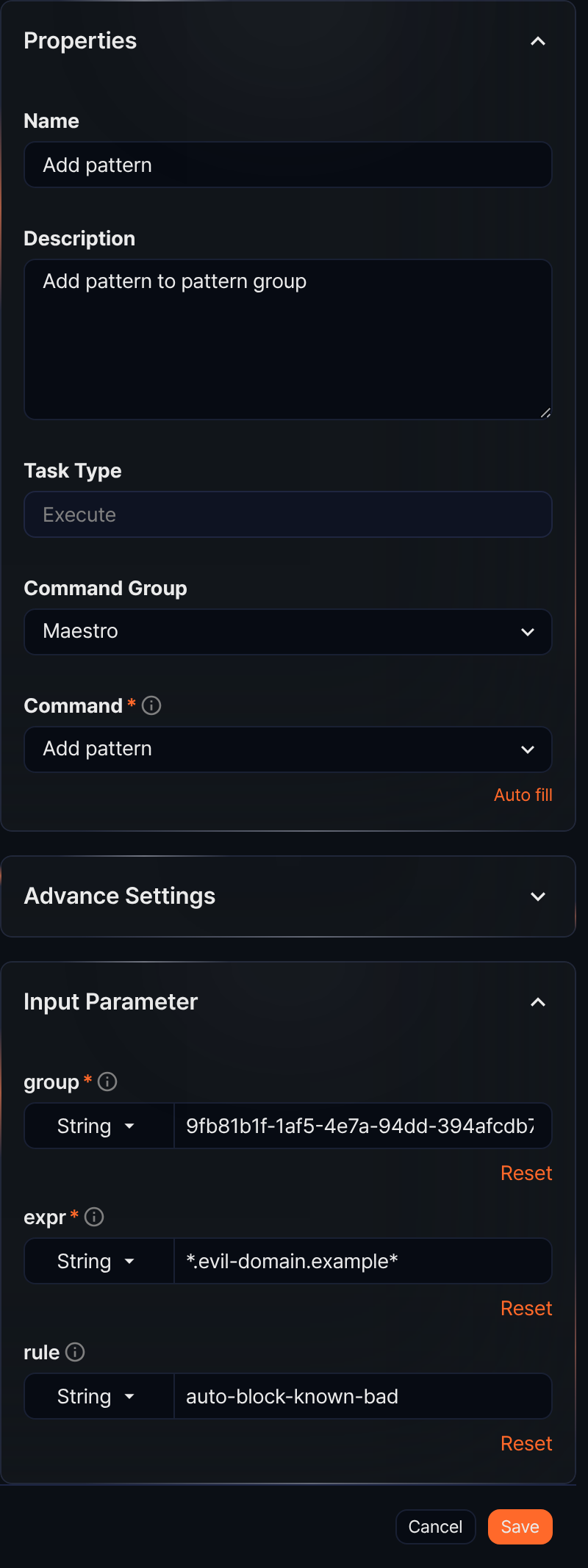
Add pattern
When the Command is Add pattern, this task adds a pattern to a pattern group.
- Input parameters
- The input parameters are as follows:
Input parameter Description group* The GUID of the pattern group expr* The pattern string rule The name of the pattern rule
Send report
When the Command is Send report, this task generates a report for a specified date range using a report template and sends it by email.
- Input parameters
- The input parameters are as follows:
Input parameter Description Template GUID* The GUID of the report template File format* Report file format: one of docx,html,pdf, orhwpxFrom* Start of the reporting period in yyyyMMddHHmmssformatTo* End of the reporting period in yyyyMMddHHmmssformatRecipient* The email address to send the report to
Export report
When the Command is Export report, this task generates a report for a specified date range using a report template and saves it.
- Input parameters
- The input parameters are as follows:
Input parameter Description Template GUID* The GUID of the report template File format* Report file format: one of docx,html,pdf, orhwpxFrom* Start of the reporting period in yyyyMMddHHmmssformatTo* End of the reporting period in yyyyMMddHHmmssformatPath* The path to save the generated file (e.g., /opt/logpresso/report.pdf)